If you’ve downloaded anything new from the Google Play Store recently you might want to be wary of the extra “features” that may have come along with it. It’s being reported that a new malware dubbed “NoVoice” has infected a number of Apps across the Google Play store.
The apps it was discovered in were not limited to one genre, the malware was found in cleaners, games, image galleries and more. At launch the apps didn’t request any additional suspicious permissions and worked as intended.
Longtime cybersecurity behemoth McAfee discovered the malware but it’s not currently being linked to any specific malware group or threat actor, and no one has claimed credit for the attack as of writing. After installation the malware tries to gain root access to your device by utilizing vulnerabilities found in unpatched devices (most of these exploits have been patched between 2016 and 2021) highlighting the importance of keeping your devices up to date on firmware.
According to the researchers at McAfee the infected payload hitched a ride on what looked like legitimate Facebook SDK classes, which then deployed an encrypted payload hidden inside a PNG before system wiping all traces of itself. If this sounds like a less delightful matryoshka doll in malware form that’s because it is.
It was also noted by researchers that the malware had built in capacity to avoid certain regions in China if the original app was given permission to detect location. All-in-all researchers noted that the malware would attempt to try 22 known vulnerabilities on the infected device in order to gain root access. It was also discovered the primary goal once it had access was to then steal data from WhatsApp specifically, although it should be noted due to the flexible design of this malware it could have been used to steal other data (this just wasn’t noted during discovery).
All affected apps have now been removed from the Google Play Store, and a Google representative issued a statement: “As an added layer of defense, Google Play Protect automatically removes these apps and blocks new installs. Users should always install the latest security updates available for their device.”
As NoVoice specifically targeted security flaws that were fixed before 2021, any device that has been updated since that time would be safe from this exploit. Regular patching and security updates are a core feature on every Valley Techlogic plan, we believe this helps:
Fix known vulnerabilities before attackers can exploit them
Reduce the risk of malware, ransomware, and unauthorized access
Keep systems compatible with current security tools and protections
Help maintain compliance with security standards and insurance requirements
Protect your business from threats today with a technology plan from Valley Techlogic, you can learn more about our services and get started here.
Some fraudsters have abandoned the awkward, obvious emails of the past decade in favor of a new gambit, this one focus on social media. Today, they operate where your business already lives: in your LinkedIn inbox, your Facebook admin panel, and your Twitter DMs. The scams are polished, convincing, and growing fast.
Social engineering attacks rely on manipulation rather than malware. Instead of breaking through your firewall, criminals exploit the one vulnerability no software patch can fix: human trust. In 2024 and into 2025, that manipulation has migrated aggressively onto social media platforms, targeting professionals, business owners, and marketing teams who use these networks as core business tools.
Understanding how these scams are constructed is the first line of defense. Here is a closer look at what is circulating on each major platform and what warning signs to watch for.
LinkedIn: fake job offers and recruiter impersonation
First, The fake job offer scam.One of the fastest-growing threat vectors on LinkedIn involves fraudulent job opportunities delivered via connection requests and direct messages. Attackers create convincing recruiter profiles, complete with employment histories, endorsements, and professional headshots, before reaching out to targets with lucrative-sounding roles at legitimate companies.
Once contact is established, the “recruiter” moves the conversation off-platform to WhatsApp or email and eventually asks for sensitive information under the guise of onboarding: copies of identification documents, bank account details for direct deposit setup, or payment for background checks and equipment deposits. In some cases, victims are sent fraudulent checks and asked to forward a portion of the funds before the check bounces.
Luckily there are a few common red flags you can look for to spot this one, such as:
The recruiter’s profile was created recently and has few connections or activity.
The job offer arrives unsolicited with an unusually high salary and vague responsibilities.
Also, a more targeted variant involves attackers creating near-duplicate profiles of a company’s senior executives or trusted colleagues. The impersonator connects with employees and then requests urgent wire transfers, gift card purchases, or credential resets, exploiting the authority of the mimicked identity. Because the message arrives through LinkedIn rather than email, many recipients lower their guard.
LinkedIn has acknowledged the scale of fake profile activity on its platform and introduced detection tools, but sophisticated actors continue to slip through. Treat any out-of-character financial or credential request from a connection with immediate skepticism, regardless of how authentic the profile appears.
Facebook: business account threats and fake admin messages
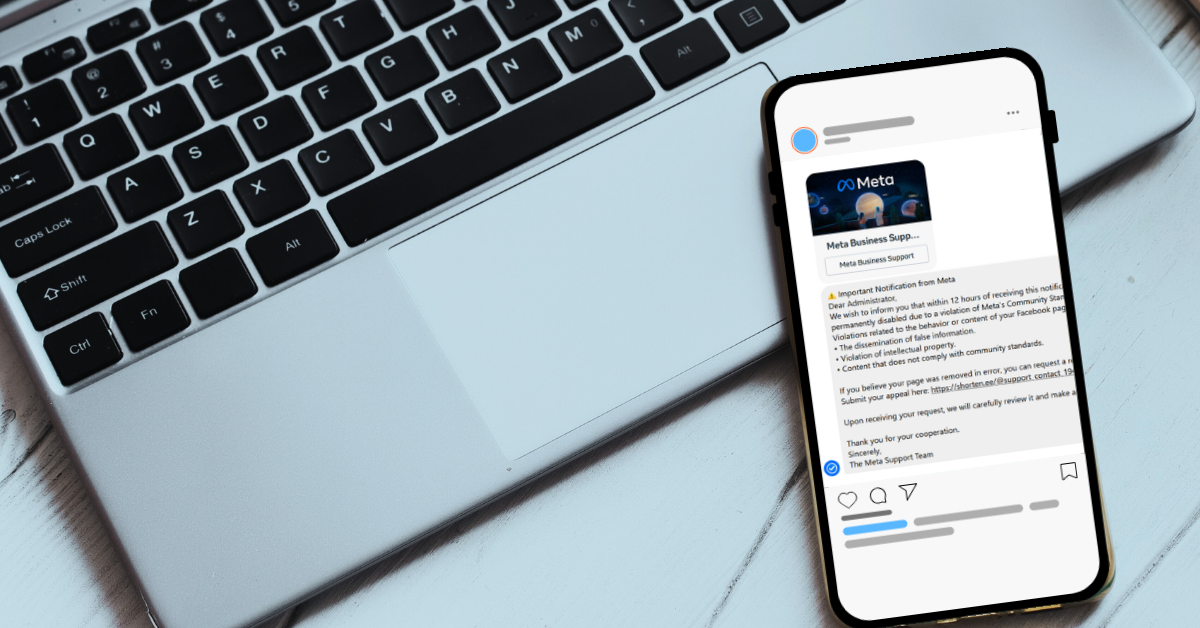
Businesses running Facebook Pages and advertising accounts have become prime targets for a scam that impersonates Meta support. The attack typically begins with a message, often arriving via Messenger or a business inbox, warning that the page violates community standards and faces imminent suspension. Targets are urged to click a link and “verify” their account to avoid action.
Those links lead to convincing phishing pages that harvest Facebook credentials, two-factor authentication codes, and in some cases payment information linked to the ad account. Once attackers gain access, they drain advertising budgets, lock out legitimate admins, or sell the established account to other bad actors.
Common red flags for this one are:
Urgent language around page violations sent through Messenger rather than through Meta’s official support system.
Links that route to domains that are not facebook.com or meta.com.
A related tactic involves fraudulent invitations to become a page or group administrator. Business owners receive what appears to be a legitimate Facebook notification asking them to accept an admin role for a page they do not recognize. Accepting grants the attacker reciprocal admin access to the victim’s own pages by exploiting Facebook’s cross-admin trust structure. The scammer can then post spam, remove the original owner, or use the page for further fraud.
Meta will never request login credentials or payment information through Messenger. Any urgent policy warning that arrives as a direct message, rather than through the official Meta Business Suite notification system, should be treated as fraudulent until verified directly through Meta’s help center.
Twitter (X): impersonation, verification badge scams, and crypto fraud
Since the overhaul of the platform’s verification program, bad actors have exploited user confusion around the blue checkmark by sending direct messages claiming the recipient’s account requires action to maintain its verified status or avoid suspension. These messages direct targets to external sites that steal credentials or payment details.
A parallel scam targets business accounts with messages purporting to be from the platform’s trust and safety team, warning of copyright violations or policy breaches and requesting immediate login through a provided link. The urgency and official-sounding language make these messages disproportionately effective against small business owners managing their own accounts.
Again, common red flags are:
Direct messages claiming to be from platform support, since X does not use DMs for official account actions
Requests to “re-verify” through a third-party link rather than within the native app settings
Also, we want to be clear, do not overlook email: phishing remains the dominant threat and it’s also always constantly evolving.
While social media scams command growing attention, it would be a significant mistake to treat email phishing as a solved problem. Email-based attacks remain by far the most prevalent form of social engineering, accounting for the majority of successful business data breaches year after year. Modern phishing emails have evolved far beyond the broken-English missives of the early 2000s: today’s attempts accurately mimic bank correspondence, software license renewal notices, internal HR communications, and delivery notifications, often using the target’s actual name, employer, and recent activity pulled from public or previously compromised data.
Business email compromise, a targeted phishing variant in which attackers impersonate executives or vendors to authorize fraudulent payments, cost U.S. businesses billions of dollars annually. The threat is consistent, scalable, and disproportionately effective against organizations that have not established clear verification procedures for financial requests.
Staff who know to question a suspicious LinkedIn message may still instinctively trust an email that appears to come from their bank or their own CEO. Awareness training must address both channels with equal rigor.
A local managed service provider like Valley Techlogic is your first line of defense.
Recognizing individual scam tactics is valuable, but the threat landscape shifts faster than most business owners can track. A local managed service provider like us brings dedicated security expertise, advanced email filtering and phishing simulation tools, and ongoing employee awareness training that keeps your team current with the latest social engineering techniques crossing every channel, from LinkedIn inboxes to email spoofing campaigns. We can also establish clear internal protocols for verifying unusual requests, configure multi-factor authentication across your accounts, and monitor for credential exposure before attackers can exploit it. Partnering with a trusted local provider means that when the next convincing scam lands in your inbox or your social feed, your business has both the technology and the training to recognize it before it does damage. Learn more today with a consultation.

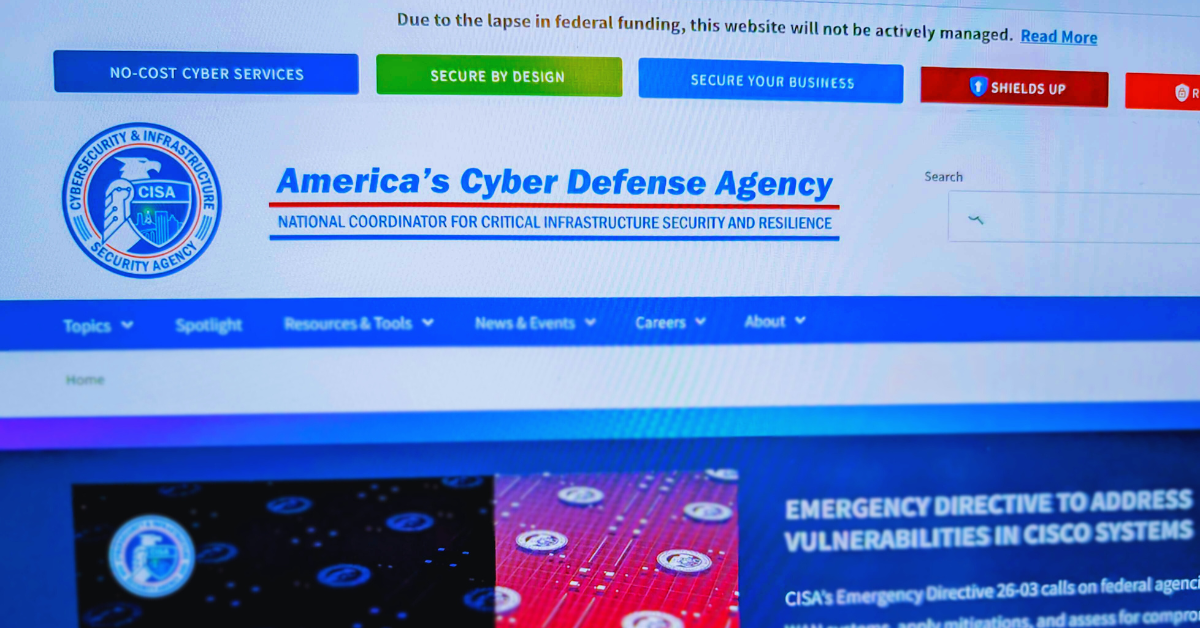
CISA which stands for Cybersecurity & Infrastructure Security Agency is a federally recognized and funded cybersecurity agency that works to protect the United States from cyber threats, their mission statement reads:
“We lead the national effort to understand, manage, and reduce risk to our cyber and physical infrastructure.”
CISA collects, analyzes, and shares threat intelligence so organizations can act before damage occurs. This includes vulnerability alerts, Known Exploited Vulnerabilities (KEV) catalog updates, and joint advisories with partners like the FBI and NSA. The goal is simple: shorten the time between “threat discovered” and “defenses updated.”
Now due to federal cuts initiated by the Trump administration they’re operating at just 38% of their necessary staffing levels, these cuts included staff that worked under programs such as the counter-ransomware initiative and one that oversaw efforts to promote secure software development. Many of their employees were also reassigned to other agencies such as the Department of Homeland Security as funding and efforts are shifted to the administration’s immigration crackdowns.
CISA has also been without a permanent director since Trump took office, leaving the agency both without the necessary manpower and crucial leadership guidance. While the agency continues to exist, it’s hard to ignore that these cuts may have a real time effect on our country’s national security. Business owners in particular should be wary of an increase in potential threat as bad actors may take advantage of this gap.
Cuts to government programs such as these can trickle down to business owners, the effects will not be immediate but sustained cuts to CISA can quietly increase cyber risk, slow federal support, and shift more responsibility (and cost) onto businesses and their MSPs. These are four trickle down affects you should be aware of:
1. Slower and shallower threat intelligence
CISA is one of the primary pipes pushing timely threat intelligence to the private sector. If funding drops, you often see:
Fewer or slower vulnerability advisories
Less frequent updates to the Known Exploited Vulnerabilities catalog
Reduced joint analysis with FBI and NSA
Less sector-specific guidance
Business impact: Owners and MSPs get less early warning. That increases dwell time for attackers and raises breach probability over time.
2. Reduced free security services
Many organizations (including SMBs, schools, local governments, and some private entities) rely on CISA’s no-cost services such as:
If budgets tighten, these programs are often first on the chopping block or become capacity-constrained, leaving you optionless when you need their support.
Business impact:
Fewer free scans available
Longer wait times
More reliance on paid security assessments
MSPs must fill the gap
3. Weaker critical infrastructure resilience
CISA plays a coordination role across sectors like healthcare, energy, water, and transportation. Funding cuts can mean:
Fewer field advisors
Less regional engagement
Reduced ICS/OT security work
Slower cross-sector coordination
Business impact:
Even if you think of yours as “just a small business,” you depend on these sectors. Increased fragility upstream can mean:
More outages
More supply chain disruptions
Higher cyber insurance pressure
More third-party risk exposure
This is the second-order effect many owners miss.
4. Slower incident response support at scale
For large or multi-organization incidents, CISA helps coordinate national response. With fewer resources:
Surge capacity drops
Federal assistance may triage more aggressively
Recovery guidance may lag during major events
Business impact:
Most business owners do not call CISA directly. But during widespread campaigns (think mass exploitation events), weaker federal coordination can mean:
Longer active threat windows
More widespread compromise
Slower ecosystem-wide containment
The bottom line, cuts such as these carry consequences, some that you can anticipate and some that you can’t. Either way, it’s of the utmost importance that in 2026 you have protections in place that specifically cover your business from threat actors, regardless of what protections may be in place nationwide. All Valley Techlogic plans include cybersecurity protections (including 24/7 threat detection and monitoring) by default. Learn more today through a consultation.
For employers, sorting through applications is ordinarily a tedious but necessary part of the hiring process. Enter AI, with artificial intelligence employers can now have AI tools sort candidates based on specific prompt criteria, shortening the time it takes to sort through dozens or even hundreds of applications and propelling the most worthy candidates to the top of the list for human review.
Or at least, that was the idea. However recently for McDonald’s that idea backfired with a simple mistake, a security flaw in their AI hiring platform dubbed “McHire” or McHire.com allowed attackers to access the logs of any user in the system simply by using the account and username “123456”.
This allowed access to an administrator account for Paradox.ai, the vendor behind the creation of the McDonald’s AI hiring platform, and the ability to query “Olivia”. Olivia is is the chatbot potential applicants would chat with as they submitted their application.
The data they were able to access included applicants’ names, emails, addresses and phone numbers. In total there were 64 million records accessible in the system at the time the breach occurred.
Luckily, the security flaw was discovered by researchers instead of true bad actors. The breakdown of how it was discovered can be found on the blog by security researchers Ian Carroll and Sam Curry. We have reported on their research before when they discovered a major flaw with Kia and other car brand manufacturers allowing for remote access to vehicles (even while they’re actively being driven).
It’s a sharp reminder that just because AI solutions may make things easier, doesn’t mean that best practices are automatically being followed. The human review is still an important component when deploying any system that will gather large amounts of PII (Personally Identifiable Information) and it’s important to know the rules and restrictions you must follow when collecting that data for your business.
Below are three rules we recommend following when collecting PII in your business:
Collect Only What’s Necessary (Data Minimization)
Only gather the PII that is absolutely essential for the purpose at hand. Avoid collecting excess or sensitive data unless it is required. This reduces risk in the event of a data breach and shows respect for user privacy.
Clearly Inform and Obtain Consent
Be transparent about what data is being collected, why it’s needed, how it will be used, and with whom it might be shared. Always obtain informed consent before collecting any PII, especially for sensitive data like health, financial, or biometric information.
Protect the Data with Strong Security Measures
Use up-to-date encryption, access controls, and secure storage practices to protect PII from unauthorized access, loss, or misuse. Regularly audit systems and train employees on proper data handling procedures.
These rules not only build trust with users but also help ensure compliance with regulations like GDPR, CCPA, HIPAA, CMMC and more. If compliance or data protection is a concern for your business, Valley Techlogic can be your go-to partner in creating secure data collection and safeguarding practices alongside deploying industry leading cyber security preventions within your business. Reach out today to learn more.
Looking for more to read? We suggest these other articles from our site.
Scattered Spider, otherwise known as UNC3944 gained notoriety during the infamous attack on MGM (which we reported in in 2023) which was estimated to have cost the company around $100 million dollars. The group has kept up its momentum while targeting financial institutions in particular such as PNC Financial Group, Synchrony Financial, Truist Bank and more.
It’s estimated the cost of cyber crime has risen to $793 billion per month with groups like Scattered Spider contributing to this bottom line. The group has also been in the news for its unusual makeup, with most arrests being teenagers to young adults. This is not the hardened group of long-time professional hackers most people think of when they think of breaches on this scale.
A set of recent arrests were made of two 19-year-old men, a 17-year-old boy and a 20-year-old woman in the UK, with the bad actors being charged with blackmail, money laundering and ties to a criminal organization as of writing. One of the alleged leaders of the group, 23-year-old Tyler Buchanan, was also arrested in May of this year and has been extradited to California to face charges where he faces up to 47 years behind bars.
Ransomware/Malware-as-a-service (RAAS/MAAS) becoming more ubiquitous means that someone doesn’t even have to be extremely tech savvy to pull a cyber attack, expanding the reach of bad actors looking for financial gain from attacks on anyone convenient. It has never been more true than it is now in 2025 that no one is safe from cyber threats. Your business Isn’t too small or too remote to be a target.
The group has also focused on tactics that are more social engineering than directly technical, with phishing being a primary driver as we saw in the MGM attack. Here are 5 ways hacking groups like Scattered Spider are pulling off cyber attacks:
Social Engineering and Impersonation
Scattered Spider is notorious for tricking employees into giving up credentials. They often:
Impersonate IT or help desk personnel
Call or message employees to reset passwords or approve MFA prompts
Use public info (like LinkedIn profiles) to craft believable stories
SIM Swapping
They hijack a victim’s mobile number by convincing the phone carrier to transfer it to a SIM card they control. Once they do this, they can:
Bypass MFA (multi-factor authentication)
Receive SMS-based codes for password resets
Exploiting Identity & Access Management (IAM) Systems
They target systems like Okta or Microsoft Azure AD to escalate privileges and gain access across an organization. Once inside:
They move laterally across systems
Create persistent backdoors
Abusing Remote Access Tools
Scattered Spider leverages legitimate tools like:
Remote desktop software
VPNs and virtual desktop infrastructure (VDI)
They often enter using stolen credentials and hide in plain sight by mimicking normal user activity.
Ransomware Deployment & Data Theft
After gaining sufficient access, they:
Exfiltrate sensitive data
Deploy ransomware (often in partnership with ransomware-as-a-service groups like ALPHV/BlackCat)
Threaten double extortion: demanding payment to both unlock systems and not leak data
At Valley Techlogic, we help businesses of all sizes stay protected against advanced threats from hacking groups like Scattered Spider by combining proactive cybersecurity strategies with enterprise-grade tools. Our team monitors for suspicious activity, implements strong identity and access controls, and trains your staff to recognize social engineering attempts, closing the gaps these groups exploit. With layered protection and rapid response capabilities, we keep your systems secure and your data safe. Get started with a Valley Techlogic service plan today to protect your business from future threats.
Looking for more to read? We suggest these other articles from our site.
In today’s digital world, staying informed about cybersecurity is crucial for every organization. We’ve rounded up five of our top cybersecurity blogs that offer actionable insights, expert advice, and practical steps to strengthen your defenses.
Whether you’re a small business owner or an IT leader, these articles cover everything from phishing prevention to disaster recovery. Dive in and level up your cybersecurity knowledge:
Six Ways Continuous Monitoring Keeps You a Step Ahead in Your Cyber Security Efforts
5 Ways “Tribal Knowledge” Sabotages Your Cybersecurity Efforts
Tribal knowledge is anything in your workplace that is common knowledge and is not documented. If the rules are posted somewhere it goes from being tribal knowledge to policy, and when it comes to the technology in your business, it is much more secure to rely on policy than tribal knowledge. Read it here: https://www.valleytechlogic.com/2021/10/5-ways-tribal-knowledge-sabotages-your-cybersecurity-efforts/
Want more cybersecurity insights? Our cybersecurity kit found here has the latest strategies, tools, and trends to help keep your business safe. Not sure how to act on this advice in your business? Valley Techlogic has supported businesses in their endeavors to increase cybersecurity protection and offer coverage and solutions for complex challenges such as security awareness with employees, disaster recovery planning, regulatory compliance and more. Reach out today for more information
Looking for more to read? We suggest these other articles from our site.
If you have a public facing Facebook page, such as a fan account page or business page, then you’ve probably been inundated with messages that look something like this:
Of course, this contains all the hallmarks of a phishing scam. The false sense of urgency, the request for personal information, the legitimate looking branding, and the link that leads anywhere but an actual legitimate Facebook page.
As Facebook has tried to crack down on the bots, users are now receiving emails with the same messaging. Whether the emails are pretending to be Facebook support or a law firm trying to collect on a copyright claim, the format is the same. You’re in violation and you must act now to avoid any issues.
These emails and messages may even contain real information from your page, such as a real post they’re claiming is in violation or your Facebooks account ID (which is public information).
This is also a self-feeding scam; the same users that fall for it are also being used to conduct the scam via the accounts that are compromised (sometimes the scammer does not even bother to change the username or profile picture to something Meta/Facebook related).
The best course of action if you receive one of these messages is to report it to your email provider or Facebook themselves.
As to the heart of why these messages have been so ubiquitous, you need only look to Facebooks userbase. At 3.1 billion active users as of writing across the world (outpacing its other platform Instagram with 2 billion users and its competitors such as Tiktok, WhatsApp, and X by a large margin). They are the largest social media platform, which unfortunately puts a bigger target on their back for scammers.
Here are four other ways you can avoid phishing scams (including the one we’re talking about here):
Multi-Factor Authentication: It goes without saying, the number one way to protect most of your accounts from intrusion is the multi-pronged approach you receive from multi-factor authentication (MFA). Intruders who have your password will hit a wall when they realize they also need your phone and/or access to your email to login.
Don’t Ignore Red Flags: Sense of urgency? Check. Asking for personal information? Check. Generic greetings (think Dear Sir/Madam)? Check. Always pause and look for red flags when it comes to emails/messages you receive.
Don’t click on links, period. If you aren’t sure if the email is legitimate, NEVER click on the links. Need more evidence? Hover over links you receive, even if a link says Facebook.com it may really be directing you to the scammers own website to try and collect your personal information or install malware on your device.
Verify the Sender: Would a Facebook email originate from @gmail.com account? No. Same with Facebook messages, legitimate messages from Facebook/Message will arrive in a distinct way that makes it easy to tell they’re legitimately from Meta support. If the message you’ve received just looks like any regular Facebook message aside from the content, it’s a scam.
At Valley Techlogic, we offer coverage that helps prevent these type of phishing scams from causing an intrusion into your business, including advanced protection for email spam and best in class cybersecurity solutions that stop attackers in their tracks. Learn more today with a consultation.
Looking for more to read? We suggest these other articles from our site.
A new ransomware targeting Gmail, Outlook and other popular email providers has made enough waves for the FBI to issue a warning about it. In addition to targeting these email providers bad actors have narrowed their search to those in specific fields like medical and tech.
The ransomware is called “Medusa” and it first came on the scene in 2021, emerging as part of a new group of ransomware found under the “Ransomware-as-a-Service (RaaS) umbrella. This means the hacker are not necessarily the creator of the ransomware but are instead utilizing scripting created by others as a means to profit from ransoms paid in lieu of getting your data back.
The creators of Medusa have been linked back to a group called Spearwing, which are particularly ruthless in that they try to extort victims twice. First, they steal your data and extort payment to not expose it and they also encrypt it and will not provide victims with a method to decrypt it until they receive a second payment. Spearwings ransom demands have ranged from $100,000 all the way up to $15 million.
There hasn’t been a definitive answer as to how the latest breaches were conducted, so it’s uncertain at this time whether the attacks were accomplished due to user error or through another method of breach. As such the FBI and CISA have recommendations as to how users can protect themselves from the Medusa ransomware that include:
Mitigate known vulnerabilities by ensuring operating systems, software, and firmware are patched and up to date within a risk-informed span of time.
Segment networks to restrict lateral movement from initial infected devices and other devices in the same organization.
Filter network traffic by preventing unknown or untrusted origins from accessing remote services on internal systems.
Proactive services (including cyber security) are a keystone offering for Valley Techlogic. With ransomware threats becoming more sophisticated and lucrative year over year, you need a team behind you to protect against outside threats. Below are five ways Valley Techlogic approaches cybersecurity protection for our clients:
24/7 Threat Monitoring & Incident Response – We provide continuous monitoring of networks, endpoints, and cloud environments to detect and respond to threats in real time.
Advanced Endpoint Protection (EPP) & Endpoint Detection and Response (EDR) – We deploy antivirus, anti-malware, and behavioral analytics tools on all endpoints and use EDR solutions to detect, analyze, and remediate suspicious activities on client devices.
Security Awareness Training & Phishing Simulations – Our security awareness training educates employees on cybersecurity best practices and how to recognize social engineering attacks. We also run weekly phishing simulations to assess and improve employee readiness against cyber threats.
Regular Security Audits & Compliance Management – We can conduct penetration testing, vulnerability assessments, and risk audits to identify security gaps at the client’s request. We also offer specialized support for compliance with industry regulations like GDPR, HIPAA, NIST, or CMMC to avoid penalties and data breaches.
Consistent and Layered Approach to Backups – Our backup program TechVault is our multifaceted approach to backups, which includes separate backups for Microsoft (including Outlook), daily backups for servers, and an immutable copy that is write once read only. This approach gives us a wider array of options should a breach or data loss event occur.
We all know about good hygiene practices for ourselves and our homes, but what about practicing good cybersecurity hygiene? What does the word hygiene mean when applied to a digital context?
When we think of hygiene for cybersecurity it’s the essential items needed to practice the bare minimum in cyber threat prevention, we’re strong advocates for advanced cybersecurity threat prevention and believe you can never be too protected – however these 8 items will in many cases prevent the vast majority of outside threats. As a bonus? The only thing you’ll need to spend to enact these in your business today is a little time.
Use Strong and Unique Passwords
Implement complex passwords and enable multi-factor authentication (MFA) for added security. We have a guide for what a strong password looks like and how to utilize MFA here.
Regularly Update Software and Systems
Keep your operating systems, applications, and antivirus software up to date to patch vulnerabilities.
Educate Employees on Cybersecurity Best Practices
Train staff on recognizing phishing scams, suspicious emails, and safe browsing habits. Interested in cybersecurity training for your business? Valley Techlogic includes it (at no additional cost) in all of our plans.
Limit Access to Sensitive Data
Implement role-based access controls and grant permissions only to those who need them.
Enable Firewalls and Antivirus Protection
Use firewalls, antivirus programs, and other security tools to prevent unauthorized access.
Backup Data Regularly
Perform frequent backups and store them in secure, off-site locations to prevent data loss from ransomware attacks.
Monitor Network Activity
Use intrusion detection systems and regularly review logs for unusual activity.
Implement Secure Wi-Fi and VPN Usage
Use encrypted Wi-Fi networks and require VPN usage for remote employees to protect data transmission.
Implementing these 8 cybersecurity threat preventions will protect your business from most attacks, but if you’re looking to go a little further below are 4 cybersecurity benefits included with all Valley Techlogic service plans:
As of January 24th very little has come out about the hack on the nationwide cloud-based software solution provider, PowerSchool, which provides tools to school districts in the form of staff management, attendance taking, enrollment, grade information and more.
According to their website, this attack occurred on December 28th, 2024. They were alerted to the breach when the exportation of data began and there was no other indication prior to that such as systems being down. The company has offered to provide credit monitoring services for the students and staff whose data was leaked in the breach.
This data includes, grade and school information, addresses and phone numbers, email addresses, social security numbers and more. 6,505 school districts data were leaked in the attack, and it’s estimated 62 million students could be affected. This not only affects students in the US but Canada as well.
According to Bleeping Computer, PowerSchool has also paid a ransom to the attackers in a yet to be known sum to stave off the release of data. This Isn’t usually a worthwhile tactic, it’s estimated 92% of businesses that pay the ransom don’t get their data back in the end (as was the case for Apple when Apple Watch and MacBook Pro blueprints were stolen in 2021).
There are some concrete reasons not to pay the ransom in the event your data is stolen by bad actors:
No Guarantee of Data Recovery: Paying the ransom does not ensure that attackers will decrypt your data or return it. Many victims have paid and never received their files back.
Encourages Future Attacks: Paying a ransom signals to attackers that their tactic works, potentially making your business and others a target for future attacks.
Funds Criminal Activity: The ransom you pay could fund other illegal activities, such as drug trafficking, human trafficking, or furth er cybercrimes
Reputational Damage: If it becomes public knowledge that your business paid a ransom, it could harm your reputation, as customers and partners may view it as a sign of vulnerability.
Potential for Higher Demands: After paying, attackers might demand additional payments, holding you hostage repeatedly.
If your business has been, or is currently the victim of a ransomware attack, Valley Techlogic can help. We have helped businesses remediate ongoing cyberthreats and have been able to introduce systems and cybersecurity measures that can help prevent future attacks. Even if you business has never suffered a cyber attack, why continue to risk it with attackers continuously evolving their strategies year over year?
Investing in technology protection today ensures your business will continue to thrive tomorrow, 60% of small businesses close after a significant cyber attack. Don’t be a statistic, protect your business today.
Looking for more to read? We suggest these other articles from our site.
We use cookies to improve your experience on our site. By using our site, you consent to cookies.
Cookie Preferences
Manage your cookie preferences below:
Essential cookies enable basic functions and are necessary for the proper function of the website.
Name
Description
Duration
Cookie Preferences
This cookie is used to store the user's cookie consent preferences.
30 days
Bing, powered by Microsoft, is a search engine providing web, image, video, and map search capabilities.
Name
Description
Duration
_uetvid
1 Year
KievRPSAuth
Helps to authenticate you when you sign in with your Microsoft account.
5 years
ANON
Contains the A, a unique identifier derived from your Microsoft account, which is used for advertising, personalization, and operational purposes. It is also used to preserve your choice to opt out of interest-based advertising from Microsoft if you have chosen to associate the opt-out with your Microsoft account.
1 year
MSFPC
Identifies unique web browsers visiting Microsoft sites. These cookies are used for advertising, site analytics, and other operational purposes.
1 year
_uetsid
This cookie is used by Bing to determine what ads should be shown that may be relevant to the end user perusing the site.
30 minutes
_uetvid
This is a cookie utilised by Microsoft Bing Ads and is a tracking cookie. It allows us to engage with a user that has previously visited our website.
16 days
ANONCHK
Used to store session ID for a users session to ensure that clicks from adverts on the Bing search engine are verified for reporting purposes and for personalisation
10 minutes
CC
Contains a country code as determined from your IP address.
1 year
PPAuth
Helps to authenticate you when you sign in with your Microsoft account.
5 years
MSPAuth
Helps to authenticate you when you sign in with your Microsoft account.
5 years
MSNRPSAuth
Helps to authenticate you when you sign in with your Microsoft account.
5 years
brcap
Microsoft Microsoft Online Authentication Cookie
1 year
x-ms-gateway-slice
Identifies a gateway for load balancing.
End of session (browser)
ToptOut
Records your decision not to receive interest-based advertising delivered by Microsoft.
1 year
ACH01
Maintains information about which ad and where the user clicked on the ad.
End of session (browser)
AADSSO
Microsoft Microsoft Online Authentication Cookie
End of session (browser)
MR
Used to collect information for analytics purposes.
6 months
MUID
Identifies unique web browsers visiting Microsoft sites. These cookies are used for advertising, site analytics, and other operational purposes.
1 year
MUIDB
Identifies unique web browsers visiting Microsoft sites. These cookies are used for advertising, site analytics, and other operational purposes.
1 year
MC1
Identifies unique web browsers visiting Microsoft sites. These cookies are used for advertising, site analytics, and other operational purposes.
1 year
MS0
Identifies a specific session.
End of session (browser)
_UR
This cookie is used by the Bing advertising network for advertising tracking purposes.
1 year
NAP
Contains an encrypted version of your country, postal code, age, gender, language and occupation, if known, based on your Microsoft account profile.
1 year
MH
Appears on co-branded sites where Microsoft is partnering with an advertiser. This cookie identifies the advertiser, so the right ad is selected.
End of session (browser)
childinfo
Contains information that Microsoft account uses within its pages in relation to child accounts.
5 years
kcdob
Contains information that Microsoft account uses within its pages in relation to child accounts.
5 years
kcrelid
Contains information that Microsoft account uses within its pages in relation to child accounts.
5 years
kcru
Contains information that Microsoft account uses within its pages in relation to child accounts.
5 years
pcfm
Contains information that Microsoft account uses within its pages in relation to child accounts.
5 years
_HPVN
Analysis service that connects data from the Bing advertising network with actions performed on the website.
1 year
MC0
Detects whether cookies are enabled in the browser.
End of session (browser)
_RwBf
This cookie helps us to track the effectiveness of advertising campaigns on the Bing advertising network.
1 year
MSPProf
Helps to authenticate you when you sign in with your Microsoft account.
5 years
SRM_B
Collected user data is specifically adapted to the user or device. The usercan also be followed outside of the loaded website, creating a picture of the visitor's behavior.
1 year
WLSSC
Helps to authenticate you when you sign in with your Microsoft account.
5 years
MSPTC
This cookie registers data on the visitor. The information is used to optimize advertisement relevance.
1 year
ACLUSR
This cookie is used for advertisement tracking purposes.
1 year
ACL
This cookie is used for advertisement tracking purposes.
3 months
OIDR
This cookie is used by the Bing advertising network for advertising tracking purposes.
3 months
OID
This cookie is used by the Bing advertising network for advertising tracking purposes.
3 months
OIDI
This cookie is used by the Bing advertising network for advertising tracking purposes.
3 months
BCP
This cookie is used for advertisement tracking purposes.
1 year
BFBUSR
This cookie is used for advertisement tracking purposes.
1 year
BFB
This cookie is used for advertisement tracking purposes.
1 year
Google Analytics is a powerful tool that tracks and analyzes website traffic for informed marketing decisions.
Used to monitor number of Google Analytics server requests when using Google Tag Manager
1 minute
_gid
ID used to identify users for 24 hours after last activity
24 hours
_ga_
ID used to identify users
2 years
_gali
Used by Google Analytics to determine which links on a page are being clicked
30 seconds
_ga
ID used to identify users
2 years
__utmx
Used to determine whether a user is included in an A / B or Multivariate test.
18 months
__utmv
Contains custom information set by the web developer via the _setCustomVar method in Google Analytics. This cookie is updated every time new data is sent to the Google Analytics server.
2 years after last activity
__utmz
Contains information about the traffic source or campaign that directed user to the website. The cookie is set when the GA.js javascript is loaded and updated when data is sent to the Google Anaytics server
6 months after last activity
__utmc
Used only with old Urchin versions of Google Analytics and not with GA.js. Was used to distinguish between new sessions and visits at the end of a session.
End of session (browser)
__utmb
Used to distinguish new sessions and visits. This cookie is set when the GA.js javascript library is loaded and there is no existing __utmb cookie. The cookie is updated every time data is sent to the Google Analytics server.
30 minutes after last activity
_gac_
Contains information related to marketing campaigns of the user. These are shared with Google AdWords / Google Ads when the Google Ads and Google Analytics accounts are linked together.
90 days
__utma
ID used to identify users and sessions
2 years after last activity
__utmt
Used to monitor number of Google Analytics server requests
10 minutes
Hotjar is a powerful analytics tool that helps you understand user behavior through heatmaps and session recordings.
Name
Description
Duration
_hjSessionUser_1849187
1 Year
_hjShownFeedbackMessage
This cookie is set when a visitor minimizes or completes Incoming Feedback. This is done so that the Incoming Feedback will load as minimized immediately if they navigate to another page where it is set to show.
365 days
_hjMinimizedTestersWidgets
Hotjar cookie. This cookie is set once a visitor minimizes a Recruit User Testers widget. It is used to ensure that the widget stays minimizes when the visitor navigates through your site.
365 days
_hjDoneTestersWidgets
Hotjar cookie. This cookie is set once a visitor submits their information in the Recruit User Testers widget. It is used to ensure that the same form does not re-appear if it has already been filled in.
365 days
_hjMinimizedPolls
Hotjar cookie. This cookie is set once a visitor minimizes a Feedback Poll widget. It is used to ensure that the widget stays minimizes when the visitor navigates through your site.
365 days
_hjDonePolls
Hotjar cookie. This cookie is set once a visitor completes a poll using the Feedback Poll widget. It is used to ensure that the same poll does not re-appear if it has already been filled in.
365 days
_hjClosedSurveyInvites
Hotjar cookie. This cookie is set once a visitor interacts with a Survey invitation modal popup. It is used to ensure that the same invite does not re-appear if it has already been shown.
365 days
_hjCookieTest
This cookie checks to see if the Hotjar Tracking Code can use cookies. If it can, a value of 1 is set.
Session
_hjUserAttributesHash
User Attributes sent through the Hotjar Identify API are cached for the duration of the session in order to know when an attribute has changed and needs to be updated.
session
_hjCachedUserAttributes
This cookie stores User Attributes which are sent through the Hotjar Identify API, whenever the user is not in the sample. These attributes will only be saved if the user interacts with a Hotjar Feedback tool.
session
_hjLocalStorageTest
This cookie is used to check if the Hotjar Tracking Script can use local storage. If it can, a value of 1 is set in this cookie. The data stored in_hjLocalStorageTest has no expiration time, but it is deleted immediately after creating it so the expected storage time is under 100ms.
-
_hjid
Hotjar cookie. This cookie is set when the customer first lands on a page with the Hotjar script. It is used to persist the random user ID, unique to that site on the browser. This ensures that behavior in subsequent visits to the same site will be attributed to the same user ID.
365 days
hj_visitor
hotjar uses cookies to enhance the user’s experience on our website, for example to complete forms, navigating the site, and identify returning users and offer related content. Users can control the use of cookies at the individual browser level.
Session
_hjIncludedInSample
Hotjar cookie. This session cookie is set to let Hotjar know whether that visitor is included in the sample which is used to generate funnels.
365 days
_hjHasCachedUserAttributes
This cookie sets when a user first lands on a page. Persists the Hotjar User ID which is unique to that site. Hotjar does not track users across different sites. Ensures data from subsequent visits to the same site are attributed to the same user ID.
365 days
_hjSessionRejected
If present, this cookie will be set to 1 for the duration of a user’s session, if Hotjar rejected the session from connecting to our WebSocket due to server overload. This cookie is only applied in extremely rare situations to prevent severe performance issues.
session
_hjIncludedInSessionSample
This cookie is set to let Hotjar know whether that visitor is included in the data sampling defined by your site's daily session limit
30 minutes
_hjSession_
A cookie that holds the current session data. This ensues that subsequent requests within the session window will be attributed to the same Hotjar session.
30 minutes
_hjSessionUser_
Hotjar cookie that is set when a user first lands on a page with the Hotjar script. It is used to persist the Hotjar User ID, unique to that site on the browser. This ensures that behavior in subsequent visits to the same site will be attributed to the same user ID.
365 days
_hjSessionTooLarge
Causes Hotjar to stop collecting data if a session becomes too large. This is determined automatically by a signal from the WebSocket server if the session size exceeds the limit.
session
_hjSessionResumed
A cookie that is set when a session/recording is reconnected to Hotjar servers after a break in connection.
session
hjViewportId
This cookie stores user viewport details such as size and dimensions.
Session
_hjSessionStorageTest
This cookie checks if the Hotjar Tracking Code can use Session Storage. If it can, a value of 1 is set.
Session
_hjTLDTest
When the Hotjar script executes we try to determine the most generic cookie path we should use, instead of the page hostname. This is done so that cookies can be shared across subdomains (where applicable). To determine this, we try to store the _hjTLDTest cookie for different URL substring alternatives until it fails. After this check, the cookie is removed.
session
_hjIncludedInPageviewSample
This cookie is set to let Hotjar know whether that visitor is included in the data sampling defined by your site's page view limit.
30 minutes
_hjFirstSeen
The cookie is set so Hotjar can track the beginning of the user's journey for a total session count. It does not contain any identifiable information.
30 minutes
_hjAbsoluteSessionInProgress
The cookie is set so Hotjar can track the beginning of the user's journey for a total session count. It does not contain any identifiable information.
30 minutes
_hjptid
This cookie is set for logged in users of Hotjar, who have Admin Team Member permissions. It is used during pricing experiments to show the Admin consistent pricing across the site.
session
Statistics cookies collect information anonymously. This information helps us understand how visitors use our website.
Google Analytics is a powerful tool that tracks and analyzes website traffic for informed marketing decisions.
Used by Google Analytics to determine which links on a page are being clicked
30 seconds
_gid
ID used to identify users for 24 hours after last activity
24 hours
_gat
Used to monitor number of Google Analytics server requests when using Google Tag Manager
1 minute
_gac_
Contains information related to marketing campaigns of the user. These are shared with Google AdWords / Google Ads when the Google Ads and Google Analytics accounts are linked together.
90 days
__utmx
Used to determine whether a user is included in an A / B or Multivariate test.
18 months
__utmv
Contains custom information set by the web developer via the _setCustomVar method in Google Analytics. This cookie is updated every time new data is sent to the Google Analytics server.
2 years after last activity
__utmz
Contains information about the traffic source or campaign that directed user to the website. The cookie is set when the GA.js javascript is loaded and updated when data is sent to the Google Anaytics server
6 months after last activity
__utmc
Used only with old Urchin versions of Google Analytics and not with GA.js. Was used to distinguish between new sessions and visits at the end of a session.
End of session (browser)
__utmb
Used to distinguish new sessions and visits. This cookie is set when the GA.js javascript library is loaded and there is no existing __utmb cookie. The cookie is updated every time data is sent to the Google Analytics server.
30 minutes after last activity
__utmt
Used to monitor number of Google Analytics server requests
10 minutes
__utma
ID used to identify users and sessions
2 years after last activity
Hotjar is a powerful analytics tool that helps you understand user behavior through heatmaps and session recordings.
Name
Description
Duration
_hjShownFeedbackMessage
This cookie is set when a visitor minimizes or completes Incoming Feedback. This is done so that the Incoming Feedback will load as minimized immediately if they navigate to another page where it is set to show.
365 days
_hjMinimizedTestersWidgets
Hotjar cookie. This cookie is set once a visitor minimizes a Recruit User Testers widget. It is used to ensure that the widget stays minimizes when the visitor navigates through your site.
365 days
_hjDoneTestersWidgets
Hotjar cookie. This cookie is set once a visitor submits their information in the Recruit User Testers widget. It is used to ensure that the same form does not re-appear if it has already been filled in.
365 days
_hjMinimizedPolls
Hotjar cookie. This cookie is set once a visitor minimizes a Feedback Poll widget. It is used to ensure that the widget stays minimizes when the visitor navigates through your site.
365 days
_hjDonePolls
Hotjar cookie. This cookie is set once a visitor completes a poll using the Feedback Poll widget. It is used to ensure that the same poll does not re-appear if it has already been filled in.
365 days
_hjClosedSurveyInvites
Hotjar cookie. This cookie is set once a visitor interacts with a Survey invitation modal popup. It is used to ensure that the same invite does not re-appear if it has already been shown.
365 days
_hjIncludedInSample
Hotjar cookie. This session cookie is set to let Hotjar know whether that visitor is included in the sample which is used to generate funnels.
365 days
hj_visitor
hotjar uses cookies to enhance the user’s experience on our website, for example to complete forms, navigating the site, and identify returning users and offer related content. Users can control the use of cookies at the individual browser level.
Session
_hjid
Hotjar cookie. This cookie is set when the customer first lands on a page with the Hotjar script. It is used to persist the random user ID, unique to that site on the browser. This ensures that behavior in subsequent visits to the same site will be attributed to the same user ID.
365 days
_hjHasCachedUserAttributes
This cookie sets when a user first lands on a page. Persists the Hotjar User ID which is unique to that site. Hotjar does not track users across different sites. Ensures data from subsequent visits to the same site are attributed to the same user ID.
365 days
_hjSessionResumed
A cookie that is set when a session/recording is reconnected to Hotjar servers after a break in connection.
session
hjViewportId
This cookie stores user viewport details such as size and dimensions.
Session
_hjSessionStorageTest
This cookie checks if the Hotjar Tracking Code can use Session Storage. If it can, a value of 1 is set.
Session
_hjTLDTest
When the Hotjar script executes we try to determine the most generic cookie path we should use, instead of the page hostname. This is done so that cookies can be shared across subdomains (where applicable). To determine this, we try to store the _hjTLDTest cookie for different URL substring alternatives until it fails. After this check, the cookie is removed.
session
_hjCookieTest
This cookie checks to see if the Hotjar Tracking Code can use cookies. If it can, a value of 1 is set.
Session
_hjUserAttributesHash
User Attributes sent through the Hotjar Identify API are cached for the duration of the session in order to know when an attribute has changed and needs to be updated.
session
_hjCachedUserAttributes
This cookie stores User Attributes which are sent through the Hotjar Identify API, whenever the user is not in the sample. These attributes will only be saved if the user interacts with a Hotjar Feedback tool.
session
_hjLocalStorageTest
This cookie is used to check if the Hotjar Tracking Script can use local storage. If it can, a value of 1 is set in this cookie. The data stored in_hjLocalStorageTest has no expiration time, but it is deleted immediately after creating it so the expected storage time is under 100ms.
-
_hjSessionTooLarge
Causes Hotjar to stop collecting data if a session becomes too large. This is determined automatically by a signal from the WebSocket server if the session size exceeds the limit.
session
_hjSessionRejected
If present, this cookie will be set to 1 for the duration of a user’s session, if Hotjar rejected the session from connecting to our WebSocket due to server overload. This cookie is only applied in extremely rare situations to prevent severe performance issues.
session
_hjSessionUser_
Hotjar cookie that is set when a user first lands on a page with the Hotjar script. It is used to persist the Hotjar User ID, unique to that site on the browser. This ensures that behavior in subsequent visits to the same site will be attributed to the same user ID.
365 days
_hjSession_
A cookie that holds the current session data. This ensues that subsequent requests within the session window will be attributed to the same Hotjar session.
30 minutes
_hjIncludedInSessionSample
This cookie is set to let Hotjar know whether that visitor is included in the data sampling defined by your site's daily session limit
30 minutes
_hjIncludedInPageviewSample
This cookie is set to let Hotjar know whether that visitor is included in the data sampling defined by your site's page view limit.
30 minutes
_hjFirstSeen
The cookie is set so Hotjar can track the beginning of the user's journey for a total session count. It does not contain any identifiable information.
30 minutes
_hjAbsoluteSessionInProgress
The cookie is set so Hotjar can track the beginning of the user's journey for a total session count. It does not contain any identifiable information.
30 minutes
_hjptid
This cookie is set for logged in users of Hotjar, who have Admin Team Member permissions. It is used during pricing experiments to show the Admin consistent pricing across the site.
session
Marketing cookies are used to follow visitors to websites. The intention is to show ads that are relevant and engaging to the individual user.
Beamer is a presentation software that enables users to create engaging, interactive slideshows for diverse audiences.
Name
Description
Duration
_BEAMER_USER_ID_DjYMYPMX42643
1 Year
_BEAMER_LAST_UPDATE_DjYMYPMX42643
1 Year
_BEAMER_LAST_POST_SHOWN_DjYMYPMX42643
1 year
_BEAMER_FIRST_VISIT_DjYMYPMX42643
-
_BEAMER_FIRST_VISIT_
Set by Beamer (hotjar.com) to store the date of the user’s first interaction with insights.
3000 days
_BEAMER_USER_ID_
Set by Beamer (hotjar.com) to store an internal ID for a user.
300 days
_BEAMER_DATE_
Set by Beamer (hotjar.com). Stores the latest date in which the feed or page was opened.
300 days
_BEAMER_LAST_POST_SHOWN_
Set by Beamer (hotjar.com). Stores the timestamp for the last time the number of unread posts was updated for the user.
300 days
_BEAMER_FILTER_BY_URL_
This cookie is set by Beamer to store whether to apply URL filtering on the feed
20 minutes
Facebook Pixel is a web analytics service that tracks and reports website traffic.