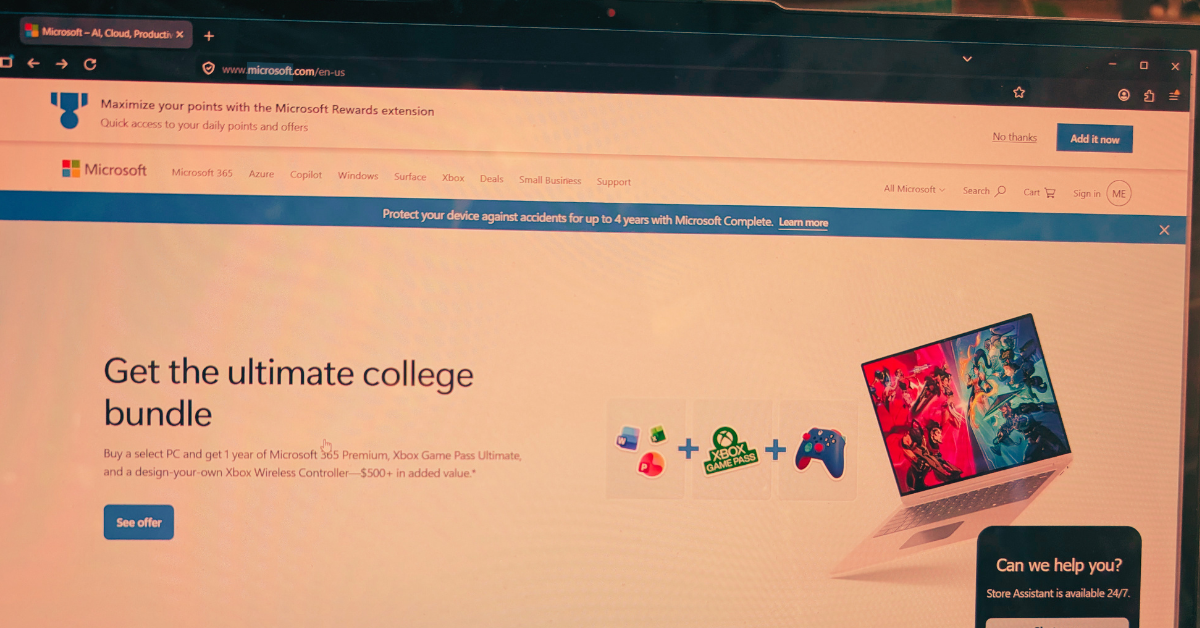
It starts with a single typo. You glance at a URL, it looks right, and you click. But what loaded in your browser wasn’t your bank, your HR portal, or your company’s file-sharing platform. It was a meticulously engineered trap, and the people behind it had been waiting for exactly this moment.
Domain-based deception isn’t new. But the tactics have grown sharper, faster, and far more difficult to spot with the naked eye. With over 300 million registered domain names in the world and new top-level domains being approved at a pace that can be hard to follow, scammers have more raw material than ever to work with.
Understanding their methods is the first step toward protecting yourself and your organization.
The anatomy of a fake domain
Before diving into specific tactics, it helps to understand what scammers are actually trying to do. Their goal is to create a web address that is visually close enough to a legitimate one that a busy, distracted reader won’t notice the difference. They then use that domain to host phishing pages, deliver malware, or intercept credentials.
The deception typically targets three things: the domain name itself, the top-level domain (the part after the final dot), and the subdomain structure. Sometimes all three are manipulated at once.
Typosquatting is the practice of registering domains that are one small error away from a well-known name. A missing letter, a transposed pair, a repeated character. The domains are cheap to register and the potential return is enormous.
Classic examples include swapping an “i” for an “l,” doubling a letter, or inserting a hyphen where none belongs. More recently, scammers have been exploiting the similarity between certain characters in different scripts, a technique sometimes called homograph or homoglyph spoofing.
- Legitimate
- microsoft.com
- Typosquat
- rnicros0ft.com
- Legitimate
- paypal.com
- Typosquat
- paypa1.com
At normal reading speed, on a small screen, or while skimming an email on your phone, these are nearly indistinguishable. That’s precisely the point.
The new TLD problem: .corn, .рaypal, and beyond
For decades, the internet ran on a handful of top-level domains: .com, .net, .org, .gov. Users learned to treat those suffixes as rough signals of legitimacy. That mental shortcut is now being exploited.
The Internet Corporation for Assigned Names and Numbers (ICANN) has approved hundreds of new generic top-level domains in recent years, including .app, .store, .finance, .cloud, and many more. Alongside these legitimate expansions, bad actors have been quick to spot and abuse visual lookalikes. The domain suffix .corn, for example, is close enough to .com that it has been used in phishing campaigns targeting users who click without examining the full address. Similarly, .co is a legitimate country-code domain for Colombia that has long been used, sometimes legitimately and sometimes deceptively, as a shorthand imitation of .com.
.corn instead of .com — a real top-level domain that reads as familiar at a glance.
.co instead of .com — widely used in legitimate startups, but also a common phishing suffix.
Internationalized domain names that use Cyrillic or Greek characters which render identically to Latin letters in many fonts.
Subdomain manipulation, such as paypal.com.account-verify.net, where the real domain is the one after the final dot, not the one you recognize.
One of the most effective and underappreciated techniques involves manipulating subdomains. Browsers display the full URL, but users have been trained to look for the familiar brand name, not to parse which part of the address actually controls the destination.
A URL structured as amazon.com.account-secure.xyz places a recognizable brand in what looks like the domain, but the authoritative domain is account-secure.xyz. The scammer owns that, not Amazon.
This technique is particularly effective in SMS phishing (smishing) attacks, where the entire URL is often truncated and users tap links quickly without examining them.
Modern browsers support internationalized domain names, which means a domain can be registered using characters from non-Latin scripts. The problem arises when those characters are visually identical, or nearly so, to their Latin counterparts.
The Cyrillic lowercase “а” and the Latin lowercase “a” look the same in most fonts. The Greek omicron “ο” is visually identical to the Latin “o.” By combining these characters, a scammer can register a domain that renders as “apple.com” in your browser’s address bar but resolves to an entirely different server.
Browser vendors have implemented some defenses against the most obvious abuses of this technique, but protection remains inconsistent across platforms and character combinations.
“When it comes down to it, you’re not reading the domain. You’re pattern-matching against a mental image of what it should look like.”
What’s changed in the last two years is not just the cleverness of individual attacks but the speed and scale at which they can be deployed. Generative AI tools have made it substantially easier for even low-skill operators to spin up convincing phishing pages, generate personalized lure emails, and register dozens of lookalike domains simultaneously.
So what can you do about it? Security researchers have observed campaigns where hundreds of typosquatted domains are registered in a single day, each pointing to a slightly different variant of a phishing page tailored to a specific target sector. Financial institutions, healthcare providers, and enterprise software platforms are the most frequent targets, but no industry is immune.
The threat landscape is complicated, but the protective behaviors that matter most are straightforward. Most successful domain spoofing attacks succeed not because the victim was foolish but because the conditions for clicking without thinking were carefully engineered.
Practical checklist
- Hover over links before clicking to see the full destination URL, and read it from right to left, starting after the final dot.
- Use a password manager that matches credentials to specific domains. If the URL is wrong, the manager won’t fill, which is your first warning.
- Enable multi-factor authentication everywhere. A stolen password is far less useful when a second factor is required.
- Treat any link sent via SMS, messaging apps, or email as suspect by default. Navigate to sensitive sites by typing the address directly or using bookmarks.
- Report suspicious domains to your IT or security team. Early detection of a campaign targeting your organization can protect colleagues who haven’t seen it yet.
Domain-based attacks are successful because they exploit something deeply human: the tendency to use heuristics rather than careful analysis when under time pressure or cognitive load. Scammers are not usually trying to outsmart technically sophisticated users in their most alert moments. They’re engineering the conditions under which even careful people make mistakes.
The defensive answer is partly technical, partly procedural, and partly cultural. Security-aware organizations train people to slow down at the moment of a click, not just to use the right tools. That pause, the habit of looking twice at a URL before entering credentials, is often the difference between a near miss and a breach.
The next time a link looks almost right, trust that instinct. Almost right is how these attacks work, and education on this topic is the best way to stop scammers in their tracks. Below is a free resource on this topic to share with your team:
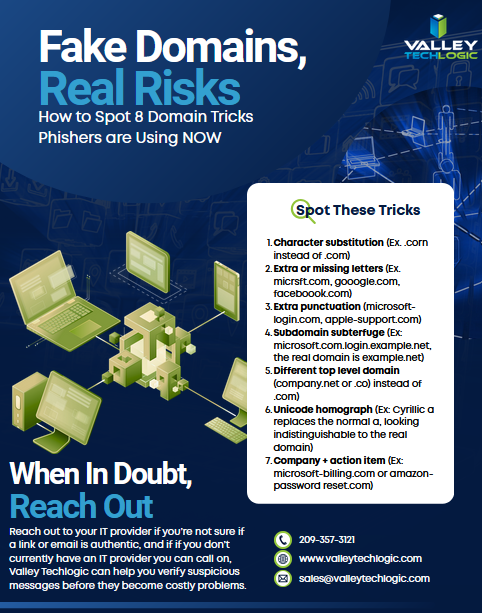
For specific guidance on protecting your organization, consult a qualified cybersecurity professional. If you need assistance in administering cyber security services (including Security Awareness Training) within your organization, Valley Techlogic can help. Learn more today through a consultation.

- Social engineering scams on Facebook, LinkedIn and Twitter are increasing: what to look out for
- Five IT questions your MSP should be able to answer TODAY, and what it means if they can’t
- Microsoft 365, Google Workspace and.. Apple Business ? What is Apple’s new entry into enterprise software and what does it mean for your business
This article was powered by Valley Techlogic, leading provider of trouble free IT services for businesses in California including Merced, Fresno, Stockton & More. You can find more information at https://www.valleytechlogic.com/ or on Facebook at https://www.facebook.com/valleytechlogic/ . Follow us on X at https://x.com/valleytechlogic and LinkedIn at https://www.linkedin.com/company/valley-techlogic-inc/.