
For years, the enterprise productivity conversation has been a two-horse race. You either ran your business on Microsoft 365 or you went with Google Workspace. Sure, there were niche players and industry-specific platforms, but when it came to the core suite of tools that kept your team communicating, collaborating, and managed, it was Microsoft or Google, full stop. That just changed.
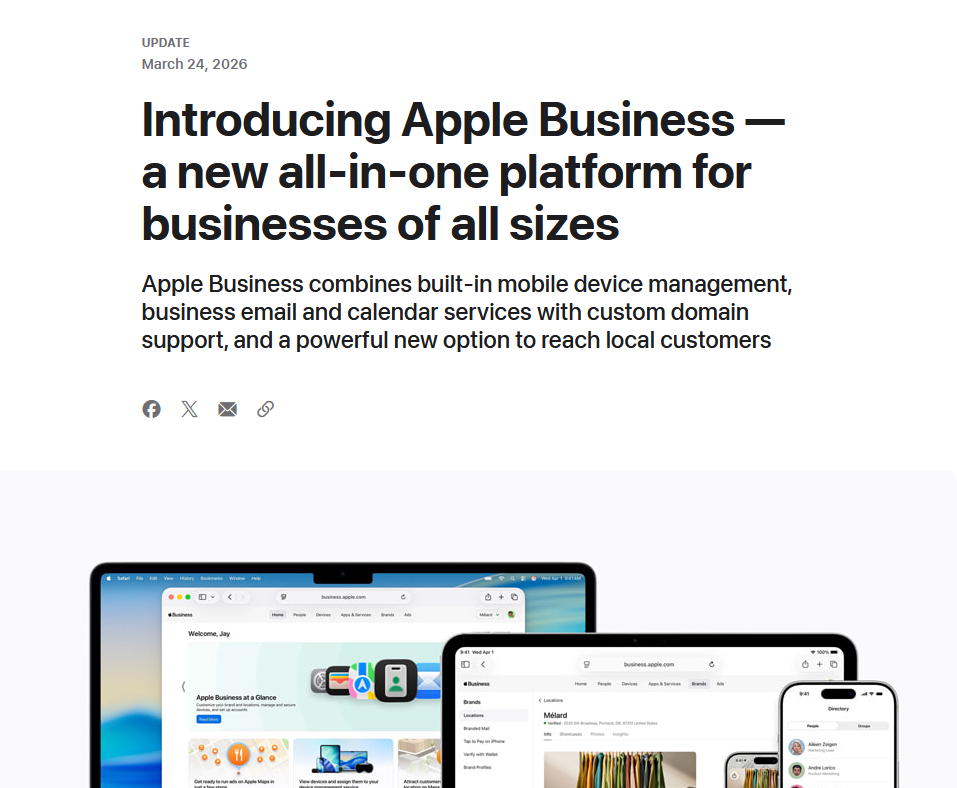
On March 24, 2026, Apple announced Apple Business, a unified platform that rolls device management, business email with custom domains, calendar services, a company directory, and customer-facing brand tools into a single portal. It launches April 14, 2026, in over 200 countries. And here is the part that should really get your attention: the core platform is free.
Let’s break down what this means, what it includes, what it costs, and why your MSP partner should already be thinking about how it fits into your environment.
So, what exactly is Apple Business? Apple Business is the consolidation of three previously separate platforms: Apple Business Manager (device enrollment and app distribution), Apple Business Essentials (device management for small businesses), and Apple Business Connect (brand presence across Apple Maps and other services). Instead of juggling three portals with overlapping features and confusing boundaries, businesses now get one unified dashboard.
The platform is organized around two core pillars: Run and Grow.
Run is the IT and operations side. This is where you manage devices, deploy apps, configure security settings, and handle employee onboarding. The headline feature here is called Blueprints, which allows administrators to preconfigure device settings, apps, and security policies so that a new iPhone, iPad, or Mac is ready to go the moment an employee powers it on. Apple calls this “zero-touch deployment,” and if you have ever spent an afternoon manually setting up a batch of company phones, you already understand the appeal.
Built-in mobile device management (MDM) gives IT teams a single view of every Apple device in the organization, along with the ability to create user groups, assign roles, and distribute apps. For companies that previously needed a third-party MDM solution just to manage a handful of iPads, this is a significant shift. Apple has also included Managed Apple Accounts with cryptographic separation between personal and work data, so employees can use one device for both without the two worlds bleeding into each other. Account provisioning integrates with identity providers like Microsoft Entra ID and Google Workspace, which means Apple is not asking you to abandon your existing identity infrastructure.
The platform also introduces integrated email, calendar, and directory services. Businesses can bring their own custom domain or purchase one directly through Apple Business. Calendar delegation, a built-in company directory with personalized contact cards, and user groups round out the collaboration toolset. This is the piece that moves Apple Business from “device management tool” into territory that starts to overlap with what Microsoft 365 and Google Workspace offer.
Grow is the customer-facing side. This is where Apple gets creative. Businesses can manage how their brand appears across Apple Maps, Mail, Wallet, and Siri. Think customizable place cards in Maps with photos, hours, and action buttons for ordering or reservations. Branded communications in the Mail app. Custom Tap to Pay branding when customers pay with their iPhone. Location insights that show how customers discover and interact with your business. And coming this summer, businesses will be able to purchase advertising directly within Apple Maps to appear in search results.
So, you may be wondering, how does pricing work? This is where Apple Business gets genuinely interesting from a cost perspective.
The core platform is free. Device management, Blueprints, zero-touch deployment, email and calendar services, brand management tools, and the full Run and Grow feature set all come at no additional charge. Every user gets 5GB of iCloud storage included.
The paid add-ons are straightforward. Additional iCloud storage is available up to 2TB per user, starting at $0.99 per user per month in the US. If you want dedicated device support, AppleCare+ for Business starts at $6.99 per month per device or $13.99 per month per user (covering up to three devices).
To put this in context, here is how the base costs compare to the competition:
• Apple Business: Free for core features. Storage upgrades from $0.99/user/month. AppleCare+ from $6.99/device/month.
• Microsoft 365 Business Basic: $6.00/user/month. Includes Teams, SharePoint, OneDrive (1TB), and web versions of Office apps.
• Google Workspace Business Starter: $7.20/user/month. Includes Gmail, Drive (30GB), Meet, and the full Google Docs suite.
The comparison is not perfectly apples-to-apples (no pun intended). Microsoft 365 and Google Workspace include full productivity suites with word processing, spreadsheets, and presentation tools. Apple Business does not include equivalents to Word, Excel, Sheets, or Slides. If your team relies on those tools daily, you are still going to need a Microsoft or Google subscription alongside Apple Business.
However, for businesses that primarily need device management, business email, and basic collaboration, Apple Business at zero cost is a compelling proposition, especially for small and mid-sized organizations that were previously paying $2.99 to $24.99 per user per month for Apple Business Essentials.
If your organization runs on Microsoft 365 or Google Workspace today, Apple Business is not going to replace either of those platforms overnight. The productivity suite gap is too significant. You are not going to write proposals in Apple Business or build financial models there.
What Apple Business does change is the device management and identity layer. If your company issues iPhones, iPads, or Macs to employees, you may have been paying for a third-party MDM solution like Jamf, Mosyle, or Microsoft Intune to manage those devices. Apple is now offering that capability for free, built directly into the platform, with tighter integration than any third party can achieve.
For organizations with a mixed environment, the most likely scenario is a layered approach: Microsoft 365 or Google Workspace for productivity and collaboration, and Apple Business for device management, deployment, and the customer-facing brand tools that neither Microsoft nor Google offer.
The identity provider integration is key here. Because Apple Business works with Microsoft Entra ID and Google Workspace for account provisioning, it is designed to complement your existing stack rather than compete with it head-on.
What does this mean for your business? Small businesses stand to benefit the most from this announcement. If you are a company with 5 to 50 employees, all using iPhones and Macs, Apple Business gives you enterprise-grade device management, business email with your own domain, and a professional brand presence across Apple’s ecosystem for free. That is a package that would have cost hundreds of dollars per month just a year ago.
The zero-touch deployment feature alone could save hours of IT setup time per device. For a 20-person company that refreshes devices every three years, that adds up to meaningful labor savings on every cycle.
If you are a business owner or IT decision-maker, here are the questions worth discussing with your MSP:
• Is your current MDM redundant? If you are paying for a third-party MDM primarily to manage Apple devices, Apple Business may eliminate that cost entirely. However, if your MDM also manages Windows or Android devices, you will still need it for those platforms.
• Does your team need a full productivity suite? Apple Business does not replace Word, Excel, or Google Docs. If those tools are central to your workflow, Apple Business is an addition to your stack, not a replacement.
• Are you taking advantage of the brand tools? The Grow side of Apple Business is genuinely unique. Neither Microsoft nor Google offers anything comparable for managing your business presence across a consumer ecosystem. If your customers find you through Maps, pay with Apple Pay, or interact with your brand through Mail or Wallet, these tools are worth exploring.
• What does your device lifecycle look like? Zero-touch deployment through Apple Business requires devices purchased through Apple or Apple Authorized Resellers. If your company buys devices through other channels, you may not get the full benefit of Blueprints.
Apple Business is not a Microsoft 365 killer or a Google Workspace replacement. It is something different: a free, unified platform that makes managing Apple devices dramatically simpler while giving businesses tools to control their brand presence across Apple’s ecosystem. The fact that it includes business email and calendar services at no cost is a nice bonus, even if those tools are not as mature as what Microsoft and Google offer.
For an MSP like us, this is an opportunity to help our clients optimize their tech stack. Some will save money by dropping third-party MDM tools. Some will layer Apple Business underneath their existing Microsoft or Google environment for a more streamlined device management experience. And some small businesses that were cobbling together free tools and manual processes will finally have a professional, unified platform without the monthly subscription cost. In the world of business software, more options is a good thing.
Have questions about how Apple Business fits into your current IT environment? Reach out to our team for a complimentary assessment. We will help you understand where Apple Business adds value, where your existing tools still matter, and how to build a technology stack that works for your business without paying for overlap.

- So long Sora, ChatGPT pulls the plug on AI video generation platform amidst a $1 billion dollar pull out by Disney
- Anthropic’s AI product Claude experienced a surge in new subscribers after they told the government “no” to removing safeguards, a new look at AI ethics
- Government backed cybersecurity agency CISA down to just 38% of its optimal staffing levels after funding cuts, what it means for your business
- Cloud Waste and Other Technology Spending Snafu’s That Could Be Keeping Your Tech Spending Skyhigh
This article was powered by Valley Techlogic, leading provider of trouble free IT services for businesses in California including Merced, Fresno, Stockton & More. You can find more information at https://www.valleytechlogic.com/ or on Facebook at https://www.facebook.com/valleytechlogic/ . Follow us on X at https://x.com/valleytechlogic and LinkedIn at https://www.linkedin.com/company/valley-techlogic-inc/.


