
If you’ve downloaded anything new from the Google Play Store recently you might want to be wary of the extra “features” that may have come along with it. It’s being reported that a new malware dubbed “NoVoice” has infected a number of Apps across the Google Play store.
The apps it was discovered in were not limited to one genre, the malware was found in cleaners, games, image galleries and more. At launch the apps didn’t request any additional suspicious permissions and worked as intended.
Longtime cybersecurity behemoth McAfee discovered the malware but it’s not currently being linked to any specific malware group or threat actor, and no one has claimed credit for the attack as of writing. After installation the malware tries to gain root access to your device by utilizing vulnerabilities found in unpatched devices (most of these exploits have been patched between 2016 and 2021) highlighting the importance of keeping your devices up to date on firmware.
According to the researchers at McAfee the infected payload hitched a ride on what looked like legitimate Facebook SDK classes, which then deployed an encrypted payload hidden inside a PNG before system wiping all traces of itself. If this sounds like a less delightful matryoshka doll in malware form that’s because it is.
It was also noted by researchers that the malware had built in capacity to avoid certain regions in China if the original app was given permission to detect location. All-in-all researchers noted that the malware would attempt to try 22 known vulnerabilities on the infected device in order to gain root access. It was also discovered the primary goal once it had access was to then steal data from WhatsApp specifically, although it should be noted due to the flexible design of this malware it could have been used to steal other data (this just wasn’t noted during discovery).
All affected apps have now been removed from the Google Play Store, and a Google representative issued a statement: “As an added layer of defense, Google Play Protect automatically removes these apps and blocks new installs. Users should always install the latest security updates available for their device.”
As NoVoice specifically targeted security flaws that were fixed before 2021, any device that has been updated since that time would be safe from this exploit. Regular patching and security updates are a core feature on every Valley Techlogic plan, we believe this helps:
Fix known vulnerabilities before attackers can exploit them
Reduce the risk of malware, ransomware, and unauthorized access
Keep systems compatible with current security tools and protections
Help maintain compliance with security standards and insurance requirements
Protect your business from threats today with a technology plan from Valley Techlogic, you can learn more about our services and get started here.
It starts with a single typo. You glance at a URL, it looks right, and you click. But what loaded in your browser wasn’t your bank, your HR portal, or your company’s file-sharing platform. It was a meticulously engineered trap, and the people behind it had been waiting for exactly this moment.
Domain-based deception isn’t new. But the tactics have grown sharper, faster, and far more difficult to spot with the naked eye. With over 300 million registered domain names in the world and new top-level domains being approved at a pace that can be hard to follow, scammers have more raw material than ever to work with.
Understanding their methods is the first step toward protecting yourself and your organization.
The anatomy of a fake domain
Before diving into specific tactics, it helps to understand what scammers are actually trying to do. Their goal is to create a web address that is visually close enough to a legitimate one that a busy, distracted reader won’t notice the difference. They then use that domain to host phishing pages, deliver malware, or intercept credentials.
The deception typically targets three things: the domain name itself, the top-level domain (the part after the final dot), and the subdomain structure. Sometimes all three are manipulated at once.
“The goal isn’t to fool careful readers. It’s to exploit the moments when no one is being careful.”
Typosquatting is the practice of registering domains that are one small error away from a well-known name. A missing letter, a transposed pair, a repeated character. The domains are cheap to register and the potential return is enormous.
Classic examples include swapping an “i” for an “l,” doubling a letter, or inserting a hyphen where none belongs. More recently, scammers have been exploiting the similarity between certain characters in different scripts, a technique sometimes called homograph or homoglyph spoofing.
Legitimate
microsoft.com
Typosquat
rnicros0ft.com
Legitimate
paypal.com
Typosquat
paypa1.com
At normal reading speed, on a small screen, or while skimming an email on your phone, these are nearly indistinguishable. That’s precisely the point.
The new TLD problem: .corn, .рaypal, and beyond
For decades, the internet ran on a handful of top-level domains: .com, .net, .org, .gov. Users learned to treat those suffixes as rough signals of legitimacy. That mental shortcut is now being exploited.
The Internet Corporation for Assigned Names and Numbers (ICANN) has approved hundreds of new generic top-level domains in recent years, including .app, .store, .finance, .cloud, and many more. Alongside these legitimate expansions, bad actors have been quick to spot and abuse visual lookalikes. The domain suffix .corn, for example, is close enough to .com that it has been used in phishing campaigns targeting users who click without examining the full address. Similarly, .co is a legitimate country-code domain for Colombia that has long been used, sometimes legitimately and sometimes deceptively, as a shorthand imitation of .com.
Watch out for
.corn instead of .com — a real top-level domain that reads as familiar at a glance.
.co instead of .com — widely used in legitimate startups, but also a common phishing suffix.
Internationalized domain names that use Cyrillic or Greek characters which render identically to Latin letters in many fonts.
Subdomain manipulation, such as paypal.com.account-verify.net, where the real domain is the one after the final dot, not the one you recognize.
One of the most effective and underappreciated techniques involves manipulating subdomains. Browsers display the full URL, but users have been trained to look for the familiar brand name, not to parse which part of the address actually controls the destination.
A URL structured as amazon.com.account-secure.xyz places a recognizable brand in what looks like the domain, but the authoritative domain is account-secure.xyz. The scammer owns that, not Amazon.
This technique is particularly effective in SMS phishing (smishing) attacks, where the entire URL is often truncated and users tap links quickly without examining them.
Modern browsers support internationalized domain names, which means a domain can be registered using characters from non-Latin scripts. The problem arises when those characters are visually identical, or nearly so, to their Latin counterparts.
The Cyrillic lowercase “а” and the Latin lowercase “a” look the same in most fonts. The Greek omicron “ο” is visually identical to the Latin “o.” By combining these characters, a scammer can register a domain that renders as “apple.com” in your browser’s address bar but resolves to an entirely different server.
Browser vendors have implemented some defenses against the most obvious abuses of this technique, but protection remains inconsistent across platforms and character combinations.
“When it comes down to it, you’re not reading the domain. You’re pattern-matching against a mental image of what it should look like.”
What’s changed in the last two years is not just the cleverness of individual attacks but the speed and scale at which they can be deployed. Generative AI tools have made it substantially easier for even low-skill operators to spin up convincing phishing pages, generate personalized lure emails, and register dozens of lookalike domains simultaneously.
So what can you do about it? Security researchers have observed campaigns where hundreds of typosquatted domains are registered in a single day, each pointing to a slightly different variant of a phishing page tailored to a specific target sector. Financial institutions, healthcare providers, and enterprise software platforms are the most frequent targets, but no industry is immune.
The threat landscape is complicated, but the protective behaviors that matter most are straightforward. Most successful domain spoofing attacks succeed not because the victim was foolish but because the conditions for clicking without thinking were carefully engineered.
Practical checklist
Hover over links before clicking to see the full destination URL, and read it from right to left, starting after the final dot.
Use a password manager that matches credentials to specific domains. If the URL is wrong, the manager won’t fill, which is your first warning.
Enable multi-factor authentication everywhere. A stolen password is far less useful when a second factor is required.
Treat any link sent via SMS, messaging apps, or email as suspect by default. Navigate to sensitive sites by typing the address directly or using bookmarks.
Report suspicious domains to your IT or security team. Early detection of a campaign targeting your organization can protect colleagues who haven’t seen it yet.
Domain-based attacks are successful because they exploit something deeply human: the tendency to use heuristics rather than careful analysis when under time pressure or cognitive load. Scammers are not usually trying to outsmart technically sophisticated users in their most alert moments. They’re engineering the conditions under which even careful people make mistakes.
The defensive answer is partly technical, partly procedural, and partly cultural. Security-aware organizations train people to slow down at the moment of a click, not just to use the right tools. That pause, the habit of looking twice at a URL before entering credentials, is often the difference between a near miss and a breach.
The next time a link looks almost right, trust that instinct. Almost right is how these attacks work, and education on this topic is the best way to stop scammers in their tracks. Below is a free resource on this topic to share with your team:
For specific guidance on protecting your organization, consult a qualified cybersecurity professional. If you need assistance in administering cyber security services (including Security Awareness Training) within your organization, Valley Techlogic can help. Learn more today through a consultation.
Some fraudsters have abandoned the awkward, obvious emails of the past decade in favor of a new gambit, this one focus on social media. Today, they operate where your business already lives: in your LinkedIn inbox, your Facebook admin panel, and your Twitter DMs. The scams are polished, convincing, and growing fast.
Social engineering attacks rely on manipulation rather than malware. Instead of breaking through your firewall, criminals exploit the one vulnerability no software patch can fix: human trust. In 2024 and into 2025, that manipulation has migrated aggressively onto social media platforms, targeting professionals, business owners, and marketing teams who use these networks as core business tools.
Understanding how these scams are constructed is the first line of defense. Here is a closer look at what is circulating on each major platform and what warning signs to watch for.
LinkedIn: fake job offers and recruiter impersonation
First, The fake job offer scam.One of the fastest-growing threat vectors on LinkedIn involves fraudulent job opportunities delivered via connection requests and direct messages. Attackers create convincing recruiter profiles, complete with employment histories, endorsements, and professional headshots, before reaching out to targets with lucrative-sounding roles at legitimate companies.
Once contact is established, the “recruiter” moves the conversation off-platform to WhatsApp or email and eventually asks for sensitive information under the guise of onboarding: copies of identification documents, bank account details for direct deposit setup, or payment for background checks and equipment deposits. In some cases, victims are sent fraudulent checks and asked to forward a portion of the funds before the check bounces.
Luckily there are a few common red flags you can look for to spot this one, such as:
The recruiter’s profile was created recently and has few connections or activity.
The job offer arrives unsolicited with an unusually high salary and vague responsibilities.
Also, a more targeted variant involves attackers creating near-duplicate profiles of a company’s senior executives or trusted colleagues. The impersonator connects with employees and then requests urgent wire transfers, gift card purchases, or credential resets, exploiting the authority of the mimicked identity. Because the message arrives through LinkedIn rather than email, many recipients lower their guard.
LinkedIn has acknowledged the scale of fake profile activity on its platform and introduced detection tools, but sophisticated actors continue to slip through. Treat any out-of-character financial or credential request from a connection with immediate skepticism, regardless of how authentic the profile appears.
Facebook: business account threats and fake admin messages
Businesses running Facebook Pages and advertising accounts have become prime targets for a scam that impersonates Meta support. The attack typically begins with a message, often arriving via Messenger or a business inbox, warning that the page violates community standards and faces imminent suspension. Targets are urged to click a link and “verify” their account to avoid action.
Those links lead to convincing phishing pages that harvest Facebook credentials, two-factor authentication codes, and in some cases payment information linked to the ad account. Once attackers gain access, they drain advertising budgets, lock out legitimate admins, or sell the established account to other bad actors.
Common red flags for this one are:
Urgent language around page violations sent through Messenger rather than through Meta’s official support system.
Links that route to domains that are not facebook.com or meta.com.
A related tactic involves fraudulent invitations to become a page or group administrator. Business owners receive what appears to be a legitimate Facebook notification asking them to accept an admin role for a page they do not recognize. Accepting grants the attacker reciprocal admin access to the victim’s own pages by exploiting Facebook’s cross-admin trust structure. The scammer can then post spam, remove the original owner, or use the page for further fraud.
Meta will never request login credentials or payment information through Messenger. Any urgent policy warning that arrives as a direct message, rather than through the official Meta Business Suite notification system, should be treated as fraudulent until verified directly through Meta’s help center.
Twitter (X): impersonation, verification badge scams, and crypto fraud
Since the overhaul of the platform’s verification program, bad actors have exploited user confusion around the blue checkmark by sending direct messages claiming the recipient’s account requires action to maintain its verified status or avoid suspension. These messages direct targets to external sites that steal credentials or payment details.
A parallel scam targets business accounts with messages purporting to be from the platform’s trust and safety team, warning of copyright violations or policy breaches and requesting immediate login through a provided link. The urgency and official-sounding language make these messages disproportionately effective against small business owners managing their own accounts.
Again, common red flags are:
Direct messages claiming to be from platform support, since X does not use DMs for official account actions
Requests to “re-verify” through a third-party link rather than within the native app settings
Also, we want to be clear, do not overlook email: phishing remains the dominant threat and it’s also always constantly evolving.
While social media scams command growing attention, it would be a significant mistake to treat email phishing as a solved problem. Email-based attacks remain by far the most prevalent form of social engineering, accounting for the majority of successful business data breaches year after year. Modern phishing emails have evolved far beyond the broken-English missives of the early 2000s: today’s attempts accurately mimic bank correspondence, software license renewal notices, internal HR communications, and delivery notifications, often using the target’s actual name, employer, and recent activity pulled from public or previously compromised data.
Business email compromise, a targeted phishing variant in which attackers impersonate executives or vendors to authorize fraudulent payments, cost U.S. businesses billions of dollars annually. The threat is consistent, scalable, and disproportionately effective against organizations that have not established clear verification procedures for financial requests.
Staff who know to question a suspicious LinkedIn message may still instinctively trust an email that appears to come from their bank or their own CEO. Awareness training must address both channels with equal rigor.
A local managed service provider like Valley Techlogic is your first line of defense.
Recognizing individual scam tactics is valuable, but the threat landscape shifts faster than most business owners can track. A local managed service provider like us brings dedicated security expertise, advanced email filtering and phishing simulation tools, and ongoing employee awareness training that keeps your team current with the latest social engineering techniques crossing every channel, from LinkedIn inboxes to email spoofing campaigns. We can also establish clear internal protocols for verifying unusual requests, configure multi-factor authentication across your accounts, and monitor for credential exposure before attackers can exploit it. Partnering with a trusted local provider means that when the next convincing scam lands in your inbox or your social feed, your business has both the technology and the training to recognize it before it does damage. Learn more today with a consultation.

Your managed service provider (or tech person) is supposed to be the safety net between your business and disaster. They monitor your systems, manage your backups, and promise to keep things running when everything else goes sideways. But how do you know they can actually deliver on that promise? The answer starts with five straightforward questions about business continuity. If your MSP stumbles on any of them, it is time to pay attention.
Question One: “What is our current recovery time objective, and how was it determined?”
Every business has a threshold for how long it can survive without its critical systems. That threshold is your recovery time. A capable MSP will not only know an estimate of your recovery time off the top of their head but will also be able to walk you through how they arrived at that number. It should reflect conversations about your` customer commitments, your compliance requirements, and the operational realities of your environment.
If your MSP gives you a blank stare or quotes a generic number that sounds like it came from a boilerplate contract, that is a problem. Your recovery time should be as specific to your business as your business plan. A provider who cannot articulate it has not done the foundational work required to actually protect you.
Question Two: “When was our disaster recovery plan last tested, and what were the results?”
A disaster recovery plan that has never been tested is not a plan. It is a guess. Testing reveals the gaps that documentation alone cannot uncover: the backup that restores slowly, the dependency nobody remembered, the credential that expired six months ago. Your MSP should be running tabletop exercises and full restoration tests on a regular cadence, and they should have documented results they can share with you.
If the last test was “a while ago” or “we have not gotten around to it,” you are operating on hope. Hope is not a business continuity strategy. A mature MSP treats testing as a recurring discipline, not a checkbox they tick once during onboarding.
Question Three: “If our primary systems went down right now, what is the exact sequence of events that follows?”
This question tests whether your MSP has a real, rehearsed incident response workflow or just a vague sense of what they would probably do. The answer should be specific. You want to hear about alerting protocols, escalation paths, communication plans for your team, the order in which systems get restored, and who is responsible for each step.
Vague answers like “we would get on it right away” or “our team would jump in” are not reassuring. They suggest a reactive culture rather than a prepared one. In a genuine outage, clarity and speed come from preparation. Every minute spent figuring out what to do next is a minute your business is losing money and trust.
The difference between a four-hour outage and a four-day outage often comes down to whether someone had to improvise or simply had to execute.
Question Four: “Where are our backups stored, and are they protected from the same threats as our primary environment?”
Backups that live in the same environment as your production systems are vulnerable to the same failures. A ransomware attack that encrypts your servers can just as easily encrypt your backups if they are sitting on the same network. Your MSP should be able to explain a layered backup strategy that includes offsite or cloud-based copies, immutable storage options, and air-gapped protections for your most critical data.
If your provider cannot clearly explain where your backups live, how they are isolated, and how often their integrity is verified, you are carrying more risk than you realize. This is not a technical footnote. It is the difference between recovering from an incident and starting over from scratch.
Question Five: “How do you ensure our business continuity plan evolves as our business changes?”
Businesses are not static. You add new applications, migrate workloads to the cloud, open new locations, onboard remote employees, and shift priorities quarter to quarter. Your continuity plan needs to keep pace with all of that. A strong MSP builds regular reviews into the relationship, reassessing your risk profile, updating recovery procedures, and adjusting priorities as your infrastructure and operations evolve.
If your MSP set up a plan two years ago and has not revisited it since, the plan is probably protecting a version of your business that no longer exists. Continuity planning is a living process, and a provider who treats it as a one-time project is not truly invested in your resilience.
Here are some warning signs your MSP (or tech person):
• They cannot produce documentation for your disaster recovery plan on request
• Backup reports are not shared with you proactively or on a regular schedule
• You have never been invited to participate in a recovery test or tabletop exercise
• Your last business continuity review predates a major change in your infrastructure
• Incident response feels improvised rather than rehearsed when issues arise
• They deflect technical questions with jargon instead of clear, direct answers
These five questions are not designed to be gotchas. They represent the bare minimum of what a competent managed service provider should know about your environment and your risk posture. The answers reveal whether your MSP is a genuine partner in protecting your business or simply a vendor collecting a monthly fee.
If your provider cannot answer these questions confidently and specifically, it’s time to find one that can. One that will have a serious conversation about expectations, accountability, and what business continuity actually looks like in practice. Your business deserves a partner who is ready before disaster strikes, not one who starts preparing after it does. Valley Techlogic can be that partner, learn more today.
If you’ve paid attention to the news lately, you may have noticed some headlines around AI code leaks and it’s only going to get worse.
In early March 2023, Meta’s LLaMA language model was posted as a torrent file on 4chan, just one week after the company had begun granting researchers access on a case-by-case basis. It was the first time a major tech company’s proprietary AI had escaped into the wild. Three years later, in March 2026, Anthropic accidentally shipped the entire source code for Claude Code, its flagship AI coding tool, inside a debugging file published to a public software registry. Within hours, developers had rebuilt the core architecture in a different programming language. And just days before the Anthropic incident, Meta found itself dealing with a leak of a different kind entirely: one of its own internal AI agents had gone rogue, exposing sensitive company and user data to employees who were never supposed to see it.
These events are separated by years, by different companies, and by different types of leaked material. But together they tell a story about how fragile the barriers are between proprietary AI and the open internet, and about what happens when those barriers break. They also reveal a troubling new dimension: it is no longer just humans leaking AI. Now AI is leaking data too.
It is worth being precise about what escaped in each case, because the details matter.
Meta’s LLaMA leak in 2023 involved the model weights themselves. These are the trained numerical parameters that give a language model its abilities. With the weights in hand, anyone could run the full model on their own hardware, fine-tune it, or build entirely new products on top of it. Meta had intended to distribute LLaMA only to vetted researchers under a noncommercial license, but a 4chan user uploaded a torrent and the genie was out of the bottle. Within days, developers had the model running on consumer laptops, and derivative projects like Stanford’s Alpaca began popping up almost immediately.
Anthropic’s Claude Code leak in 2026 was a different animal. The model weights for Claude were not exposed. Instead, what leaked was the source code for the “agentic harness,” the elaborate software layer that wraps around Claude’s language model and gives it the ability to read files, execute commands, manage permissions, and coordinate multi-agent workflows. Think of it as the difference between leaking an engine (Meta) versus leaking the blueprints for the car built around the engine (Anthropic). Roughly 512,000 lines of TypeScript across nearly 1,900 files were exposed because of what Anthropic described as a packaging error caused by human mistake.”
Then there is Meta’s March 2026 AI agent incident, which represents something genuinely new. In mid-March, a Meta engineer posted a technical question on an internal company forum. Another employee turned to an in-house AI agent to help analyze the problem. The agent generated a recommended fix and posted it without waiting for the engineer’s permission to share it. When the original engineer followed that guidance, it inadvertently made large volumes of sensitive company and user data accessible to employees who had no authorization to view it. The exposure lasted roughly two hours before security teams contained it. Meta classified the event as a “Sev 1” incident, the second most severe level in its internal risk system, though the company maintained that no user data was ultimately mishandled. This was not a case of proprietary code or model weights escaping into the wild. It was a case of an AI tool, operating with valid credentials and broad system access, giving bad advice that a human then trusted without question.
The immediate concern with any AI leak is competition. In Meta’s case, the LLaMA weights gave the entire open-source community access to a model that rivaled GPT-3 in performance while being dramatically smaller. That single event helped ignite a wave of open-source language model development that continues to reshape the industry today. Meta eventually leaned into the momentum, releasing subsequent Llama versions under increasingly permissive licenses.
The Claude Code leak carries a different kind of competitive risk. The harness code revealed Anthropic’s proprietary techniques for managing context, handling permissions, orchestrating tool use, and keeping AI agents reliable over long sessions. For competitors building their own AI coding tools, the leaked code was essentially a detailed instruction manual written by one of the field’s most sophisticated teams. Some analysts described it as the most detailed public documentation ever available for building a production-grade AI agent.
Beyond competition, these leaks raise serious questions about security. The Claude Code leak exposed the exact logic behind the tool’s permission system and safety guardrails. Security researchers have noted that this knowledge could allow bad actors to craft targeted attacks against previously unknown vulnerabilities. When you know precisely how a lock works, picking it becomes much easier.
Meta’s AI agent incident introduces an even more unsettling concern. Security researchers describe what happened as a “confused deputy” problem, where a trusted system misuses its own authority. The AI agent had legitimate credentials and system access. It did not need to break through any security perimeter because it was already inside. When it generated flawed guidance and an employee followed it, the result was a data exposure that traditional identity and authentication controls never flagged. As companies deploy AI agents with increasingly broad permissions across their internal systems, the potential for a single bad instruction to cascade into a large-scale exposure grows dramatically.
Reports suggest that roughly 80 percent of organizations using AI agents have already observed them performing unauthorized actions, including accessing and sharing sensitive information. The Meta incident was not an edge case. It was a preview of a systemic problem.
What makes these leaks particularly striking is how mundane their causes were. Meta’s LLaMA weights leaked because the company’s access controls were loose enough that someone with researcher credentials could share the files freely. Anthropic’s source code leaked because a debugging file was accidentally included in a routine software update. Meta’s 2026 AI agent incident happened because an employee asked a question and a colleague let an AI tool answer it. Neither event involved a sophisticated hack or a disgruntled insider stealing secrets in the dead of night. They were, in the most deflating possible sense, ordinary mistakes, or in the case of the AI agent, ordinary trust placed in a tool that was not ready for it.
This points to a structural tension in how the AI industry operates. These companies are simultaneously trying to move at breakneck speed, ship products to millions of users, publish to public software registries, collaborate with external researchers, and maintain airtight control over their most valuable intellectual property. Something is bound to slip through the cracks, and it has, repeatedly.
Anthropic’s Claude Code leak was actually its second major data exposure in under a week. Days earlier, a draft blog post describing an unreleased model called Mythos had been discovered in a publicly accessible data cache, revealing details about capabilities that the company had not yet announced. The pattern suggests that as AI companies scale faster, the surface area for accidental exposure grows alongside them.
These leaks collectively reinforce a few emerging realities about the AI landscape.
First, the moat around proprietary AI is thinner than many investors and executives would like to believe. When a developer can rebuild leaked architecture overnight in a different programming language, it suggests that the real value in AI products may not sit where people assume it does. The models and the code are important, but they may be less defensible than the data, the distribution, and the speed of iteration that surround them.
Second, the open-source AI ecosystem is a force that grows stronger with every leak and every intentional release. The original LLaMA leak helped catalyze a movement that has since produced models competitive with the best proprietary offerings. By early 2026, open-weight models from multiple labs were matching or exceeding proprietary systems on standard benchmarks, at a fraction of the cost. Each leak adds fuel to an already roaring fire.
Third, safety and security conversations need to catch up with the pace of deployment. If the detailed inner workings of AI safety systems can leak through a packaging error, the industry needs to think harder about defense in depth. Security through obscurity has never been a reliable strategy, and AI tools with millions of users are high-value targets for anyone looking for weaknesses to exploit.
Fourth, the Meta AI agent incident signals that leaks are no longer exclusively a human problem. As organizations hand AI agents valid credentials and broad system access, they are creating a new category of insider risk. These agents can retrieve, surface, and redistribute sensitive information at machine speed, and they do not pause to consider whether their actions violate access policies. Governing AI agents with the same rigor applied to human employees, including role-based access controls enforced at the output level and mandatory human review before sensitive actions are taken, is quickly becoming a requirement rather than a best practice.
The AI industry is unlikely to stop leaking. The combination of rapid development cycles, massive codebases, public distribution channels, and intense competitive pressure creates an environment where accidental exposure is almost inevitable. The question is not whether more leaks will happen, but how companies and the broader ecosystem will respond when they do.
For AI companies, the lesson is that anything shipped externally should be treated as potentially public. For researchers and developers, each leak offers a window into how the most advanced AI systems actually work under the hood. And for everyone else, these events are a reminder that the AI tools shaping our world are built by humans, distributed through human systems, and subject to very human mistakes.
The walls around AI are not as high as they look from the outside. And every time one cracks, the landscape shifts a little further toward openness, whether anyone planned for it or not.
If your company is utilizing AI tools (which we do recommend) the first thing you need to address is guidelines for how it accesses your data, just like with Microsoft, you should consider any data you share with AI and within your company from a “shared responsibility” perspective. This means that your most sensitive data (think passwords, payment information etc) is kept under lock and key and the data you do wish to give AI access to has been properly evaluated and sanitized. Data hygiene should be the first step to any AI readiness plan and Valley Techlogic can assist with that planning. Learn more today with a consultation.
For years, the enterprise productivity conversation has been a two-horse race. You either ran your business on Microsoft 365 or you went with Google Workspace. Sure, there were niche players and industry-specific platforms, but when it came to the core suite of tools that kept your team communicating, collaborating, and managed, it was Microsoft or Google, full stop. That just changed.
On March 24, 2026, Apple announced Apple Business, a unified platform that rolls device management, business email with custom domains, calendar services, a company directory, and customer-facing brand tools into a single portal. It launches April 14, 2026, in over 200 countries. And here is the part that should really get your attention: the core platform is free.
Let’s break down what this means, what it includes, what it costs, and why your MSP partner should already be thinking about how it fits into your environment.
So, what exactly is Apple Business? Apple Business is the consolidation of three previously separate platforms: Apple Business Manager (device enrollment and app distribution), Apple Business Essentials (device management for small businesses), and Apple Business Connect (brand presence across Apple Maps and other services). Instead of juggling three portals with overlapping features and confusing boundaries, businesses now get one unified dashboard. The platform is organized around two core pillars: Run and Grow.
Run is the IT and operations side. This is where you manage devices, deploy apps, configure security settings, and handle employee onboarding. The headline feature here is called Blueprints, which allows administrators to preconfigure device settings, apps, and security policies so that a new iPhone, iPad, or Mac is ready to go the moment an employee powers it on. Apple calls this “zero-touch deployment,” and if you have ever spent an afternoon manually setting up a batch of company phones, you already understand the appeal.
Built-in mobile device management (MDM) gives IT teams a single view of every Apple device in the organization, along with the ability to create user groups, assign roles, and distribute apps. For companies that previously needed a third-party MDM solution just to manage a handful of iPads, this is a significant shift. Apple has also included Managed Apple Accounts with cryptographic separation between personal and work data, so employees can use one device for both without the two worlds bleeding into each other. Account provisioning integrates with identity providers like Microsoft Entra ID and Google Workspace, which means Apple is not asking you to abandon your existing identity infrastructure.
The platform also introduces integrated email, calendar, and directory services. Businesses can bring their own custom domain or purchase one directly through Apple Business. Calendar delegation, a built-in company directory with personalized contact cards, and user groups round out the collaboration toolset. This is the piece that moves Apple Business from “device management tool” into territory that starts to overlap with what Microsoft 365 and Google Workspace offer.
Grow is the customer-facing side. This is where Apple gets creative. Businesses can manage how their brand appears across Apple Maps, Mail, Wallet, and Siri. Think customizable place cards in Maps with photos, hours, and action buttons for ordering or reservations. Branded communications in the Mail app. Custom Tap to Pay branding when customers pay with their iPhone. Location insights that show how customers discover and interact with your business. And coming this summer, businesses will be able to purchase advertising directly within Apple Maps to appear in search results.
So, you may be wondering, how does pricing work? This is where Apple Business gets genuinely interesting from a cost perspective.
The core platform is free. Device management, Blueprints, zero-touch deployment, email and calendar services, brand management tools, and the full Run and Grow feature set all come at no additional charge. Every user gets 5GB of iCloud storage included.
The paid add-ons are straightforward. Additional iCloud storage is available up to 2TB per user, starting at $0.99 per user per month in the US. If you want dedicated device support, AppleCare+ for Business starts at $6.99 per month per device or $13.99 per month per user (covering up to three devices).
To put this in context, here is how the base costs compare to the competition: • Apple Business: Free for core features. Storage upgrades from $0.99/user/month. AppleCare+ from $6.99/device/month. • Microsoft 365 Business Basic: $6.00/user/month. Includes Teams, SharePoint, OneDrive (1TB), and web versions of Office apps. • Google Workspace Business Starter: $7.20/user/month. Includes Gmail, Drive (30GB), Meet, and the full Google Docs suite.
The comparison is not perfectly apples-to-apples (no pun intended). Microsoft 365 and Google Workspace include full productivity suites with word processing, spreadsheets, and presentation tools. Apple Business does not include equivalents to Word, Excel, Sheets, or Slides. If your team relies on those tools daily, you are still going to need a Microsoft or Google subscription alongside Apple Business.
However, for businesses that primarily need device management, business email, and basic collaboration, Apple Business at zero cost is a compelling proposition, especially for small and mid-sized organizations that were previously paying $2.99 to $24.99 per user per month for Apple Business Essentials.
If your organization runs on Microsoft 365 or Google Workspace today, Apple Business is not going to replace either of those platforms overnight. The productivity suite gap is too significant. You are not going to write proposals in Apple Business or build financial models there.
What Apple Business does change is the device management and identity layer. If your company issues iPhones, iPads, or Macs to employees, you may have been paying for a third-party MDM solution like Jamf, Mosyle, or Microsoft Intune to manage those devices. Apple is now offering that capability for free, built directly into the platform, with tighter integration than any third party can achieve.
For organizations with a mixed environment, the most likely scenario is a layered approach: Microsoft 365 or Google Workspace for productivity and collaboration, and Apple Business for device management, deployment, and the customer-facing brand tools that neither Microsoft nor Google offer.
The identity provider integration is key here. Because Apple Business works with Microsoft Entra ID and Google Workspace for account provisioning, it is designed to complement your existing stack rather than compete with it head-on.
What does this mean for your business? Small businesses stand to benefit the most from this announcement. If you are a company with 5 to 50 employees, all using iPhones and Macs, Apple Business gives you enterprise-grade device management, business email with your own domain, and a professional brand presence across Apple’s ecosystem for free. That is a package that would have cost hundreds of dollars per month just a year ago.
The zero-touch deployment feature alone could save hours of IT setup time per device. For a 20-person company that refreshes devices every three years, that adds up to meaningful labor savings on every cycle.
If you are a business owner or IT decision-maker, here are the questions worth discussing with your MSP: • Is your current MDM redundant? If you are paying for a third-party MDM primarily to manage Apple devices, Apple Business may eliminate that cost entirely. However, if your MDM also manages Windows or Android devices, you will still need it for those platforms. • Does your team need a full productivity suite? Apple Business does not replace Word, Excel, or Google Docs. If those tools are central to your workflow, Apple Business is an addition to your stack, not a replacement. • Are you taking advantage of the brand tools? The Grow side of Apple Business is genuinely unique. Neither Microsoft nor Google offers anything comparable for managing your business presence across a consumer ecosystem. If your customers find you through Maps, pay with Apple Pay, or interact with your brand through Mail or Wallet, these tools are worth exploring. • What does your device lifecycle look like? Zero-touch deployment through Apple Business requires devices purchased through Apple or Apple Authorized Resellers. If your company buys devices through other channels, you may not get the full benefit of Blueprints.
Apple Business is not a Microsoft 365 killer or a Google Workspace replacement. It is something different: a free, unified platform that makes managing Apple devices dramatically simpler while giving businesses tools to control their brand presence across Apple’s ecosystem. The fact that it includes business email and calendar services at no cost is a nice bonus, even if those tools are not as mature as what Microsoft and Google offer.
For an MSP like us, this is an opportunity to help our clients optimize their tech stack. Some will save money by dropping third-party MDM tools. Some will layer Apple Business underneath their existing Microsoft or Google environment for a more streamlined device management experience. And some small businesses that were cobbling together free tools and manual processes will finally have a professional, unified platform without the monthly subscription cost. In the world of business software, more options is a good thing.
Have questions about how Apple Business fits into your current IT environment? Reach out to our team for a complimentary assessment. We will help you understand where Apple Business adds value, where your existing tools still matter, and how to build a technology stack that works for your business without paying for overlap.
Yesterday, OpenAI officially pulled the plug on Sora, its AI video generation platform that launched to enormous fanfare just six months ago. The standalone app, the API, and all video generation features within ChatGPT are being shut down. At the same time, the billion-dollar licensing partnership with Disney has been dissolved. It is a dramatic reversal for a product that once topped the App Store charts and seemed poised to reshape digital content creation.
Meanwhile, on the other side of the world, ByteDance’s Seedance 2.0 continues to push the boundaries of what AI video can do. The contrast between these two trajectories tells us a great deal about the current state of AI, the pressures shaping the industry, and what businesses should be thinking about as they plan their technology strategies.
OpenAI’s Sora debuted its second-generation model in September 2025 with a dedicated consumer app that combined AI video creation with a social media feed for sharing content. The results were impressive. Downloads surpassed one million within ten days, outpacing even ChatGPT’s early adoption curve. The app quickly became the top free download in the App Store’s Photo and Video category.
But that momentum did not last. By January 2026, downloads had dropped by roughly 45%. Users experimented with the novelty, generated a wave of viral clips featuring copyrighted characters and public figures, and then largely moved on. The app generated only about $2.1 million in in-app purchases over its lifetime, a negligible figure for a company valued at $730 billion. More critically, Sora was consuming enormous amounts of computing power at a time when OpenAI is under pressure to consolidate resources ahead of an expected IPO and intensifying competition from rivals like Anthropic and Google.
An OpenAI spokesperson explained the decision by saying the company is narrowing its focus and redirecting compute toward robotics research and its core text and reasoning products. CEO Sam Altman reportedly told employees that ending Sora would free up resources for the company’s next-generation AI models. The message here is clear: when the runway is long but the burn rate is high, experiments that are not gaining traction get cut.
While Sora exits the stage, ByteDance’s Seedance 2.0 remains very much alive. Released in February 2026, the model quickly drew global attention for producing cinematic-quality video with synchronized audio from simple text and image prompts. Clips featuring hyperrealistic depictions of celebrities and well-known characters went viral almost immediately, prompting cease-and-desist letters from Disney, Paramount, Netflix, and Warner Bros., along with sharp criticism from SAG-AFTRA.
ByteDance responded by pledging to strengthen its intellectual property safeguards and suspending a controversial feature that could clone a person’s voice from a single photograph. The company also paused the planned global launch of Seedance 2.0 through its CapCut platform while it works through copyright compliance issues. Despite these setbacks, the underlying model continues to operate within China’s domestic ecosystem.
For users outside of China, accessing Seedance 2.0 is not straightforward. The full-featured version of the model is currently available only through ByteDance’s Chinese apps, including Jimeng and Doubao, which require a mainland Chinese phone number for registration. International users looking to try the model have been turning to VPN workarounds, typically setting their location to Hong Kong or mainland China and navigating Chinese-language interfaces. Some third-party platforms and API aggregators have also offered access, though availability has been inconsistent as ByteDance tightens controls. The international version of ByteDance’s creative platform, Dreamina, offers a limited version but has not yet rolled out full Seedance 2.0 capabilities to the general public.
One factor that may help explain why Seedance continues to thrive while Sora folds is the dramatically different public sentiment toward AI in China compared to the West. Multiple large-scale surveys conducted in 2024 and 2025 paint a consistent picture: Chinese citizens are far more accepting of and optimistic about artificial intelligence than their counterparts in North America and Europe.
Stanford’s 2025 AI Index Report found that 83% of people in China believe AI products and services offer more benefits than drawbacks. Compare that to just 39% in the United States and 40% in Canada. An Edelman survey from late 2025 reported that 87% of Chinese respondents said they trust AI, versus 32% in the U.S. and 36% in the U.K. A joint study by the University of Melbourne and KPMG, which surveyed over 48,000 people across 47 countries, found that 93% of employees in China are using AI for their work, far outpacing the global average of 58%. The same study noted that 54% of Chinese respondents actively embrace greater use of AI, compared to just 17% of Americans.
This cultural receptivity creates a very different operating environment for AI companies. In the United States, Sora was met with sustained backlash over deepfakes, copyright infringement, and the potential displacement of creative workers. Hollywood unions, family estates of public figures, and advocacy groups all pushed back forcefully. In China, while there are certainly regulatory constraints and some public concerns around privacy and consent, the broader population views AI development as a national priority and a source of opportunity rather than a threat. That kind of public goodwill gives companies like ByteDance more room to iterate, experiment, and build a user base for products like Seedance without facing the same intensity of cultural resistance.
At Valley Techlogic, we want to make sure these developments are on your radar. Here is what we think matters most:
AI video tools are not going away. Sora’s shutdown does not signal the end of AI-generated video. It signals that the market is maturing and consolidating. The technology is real, and competitors from China and elsewhere are advancing rapidly.
Copyright and compliance risks remain front and center. Both Sora and Seedance ran into serious intellectual property disputes. Any business exploring AI-generated content needs clear policies, legal review, and an understanding of where generated material comes from.
VPN-dependent tools carry their own risks. If members of your team are experimenting with Seedance or similar tools through VPN workarounds, be aware of the security, compliance, and data privacy implications. Routing traffic through unfamiliar networks and registering on foreign platforms introduces risk that should be managed deliberately.
Compute costs drive real business decisions. OpenAI shut down a product used by millions because the computing costs could not be justified. This is a reminder that AI infrastructure is expensive, and the tools you rely on today may not be available tomorrow if the economics do not work out (or they may become dramatically more expensive).
Stay informed, stay cautious. The AI landscape is shifting fast. We recommend evaluating any AI tools your organization adopts with an eye toward longevity, data handling practices, and vendor stability.
The divergent paths of Sora and Seedance illustrate how quickly the AI industry is evolving. A product can go from record-breaking downloads to discontinuation in under a year. Meanwhile, cultural attitudes toward AI vary so dramatically across borders that a tool deemed too controversial in one market can find a welcoming audience in another.
For businesses, the lesson is not to chase every new AI tool that generates headlines. It is to build a thoughtful technology strategy with trusted partners who can help you navigate the noise, manage risk, and adopt the tools that will genuinely move your operations forward.
If you have questions about how any of these developments affect your organization, or if you want to talk through your AI adoption roadmap, we are here to help. Schedule a consultation today.
For many small businesses, technology spending starts with good intentions. A new tool solves a real problem. A subscription adds convenience. A cloud service promises scalability.
Fast forward a year or two, and that same environment often turns into a tangled web of overlapping tools, forgotten subscriptions, and quietly rising monthly costs. This is cloud waste. And for small to mid-sized businesses, it is one of the most common and preventable drains on profitability. Cloud waste is not just about overspending on infrastructure. It is usually a combination of small inefficiencies that compound over time.
You might see it in:
Licenses assigned to former employees that were never reclaimed
Multiple tools doing the same job across departments
“Free trials” that quietly converted into paid subscriptions
SaaS platforms with premium tiers that no one is actually using
Cloud resources that were spun up for a project and never shut down
Individually, these seem minor. Together, they can represent thousands or even tens of thousands of dollars per year in unnecessary spend.
Stack creep happens when your technology environment grows organically without coordination. Different teams adopt different tools. Leadership approves purchases reactively. No one owns the full picture.
Subscription creep is the financial side of that problem. Recurring charges stack up across:
SaaS applications
Cloud hosting platforms
Security add-ons
Collaboration tools
Backup and storage services
The real issue is not just the cost. It is the lack of visibility. Most small businesses cannot easily answer a simple question: “What are we actually paying for each month, and do we still need all of it?” If you cannot answer that quickly, you are almost certainly overspending.
This problem tends to get worse over time.Technology spending rarely gets audited with the same rigor as payroll or rent, subscriptions may be decentralized across departments and the charges are just small enough to fly by when reviewed individually. However, when reviewed as a whole that’s when the real picture emerges. We also want to note, fixing this does not require ripping everything out. A thorough accounting and review with a trust IT profession (like Valley Techlogic) can help get these wayward costs under control and evaluate the tools your business actually needs.
We would start with the basics:
Establish a single source of truth for all subscriptions and vendors
Assign ownership of each tool to a specific person or role
Conduct quarterly reviews of usage, licenses, and value delivered
Eliminate duplicate tools and consolidate where possible
Right-size licensing tiers based on actual usage, not assumptions
Implement offboarding processes that immediately reclaim licenses
The goal is not just cost reduction, it is reducing the scale to what you’re actually using. When you control your stack, you can make intentional decisions about where to invest in your tech and where to cut.
We also wanted to provided a quick note for California Business Owners specifically, if your business is based in California, you have a few advantages when it comes to cancelling unwanted subscriptions. Under California’s Automatic Renewal Law, companies are required to make cancellation reasonably accessible.
That means:
If you signed up online, you must be able to cancel online
Companies must provide clear cancellation instructions
You cannot be forced into unnecessary steps like calling during limited hours if the service was purchased digitally
Reducing cloud waste is not just about saving money. It is about reallocating that money to things that actually move the business forward. If your tech stack has grown without a clear plan, you are not alone but continuing to ignore it is expensive. A focused review of your environment can often cut a significant percentage of your technology spend without sacrificing capability, and Valley Techlogic can assist you with that evaluation. Learn more today with a consultation.
Artificial intelligence companies are quickly discovering that ethics is not just a philosophical debate. It is becoming a market decision.
Recently, Anthropic, the company behind the AI assistant Claude, reportedly saw a surge in new subscribers after refusing to weaken certain safety safeguards in response to government pressure. The situation has sparked a broader conversation about how AI companies balance regulatory demands, safety systems, and public trust.
For businesses and everyday users who rely on AI tools, the moment highlights a bigger question. Who decides how powerful technology should behave?
Anthropic publicly indicated that it would not remove or weaken several built-in safeguards designed to prevent harmful or unsafe outputs from its Claude AI system. These safeguards are part of the company’s long standing focus on what it calls “constitutional AI,” a framework designed to make the model behave according to defined ethical guidelines.
After the company made its position clear, reports surfaced that Claude experienced a noticeable spike in new users and paid subscribers. Many users interpreted the decision as a sign that Anthropic was willing to prioritize safety and transparency rather than bending to outside pressure.
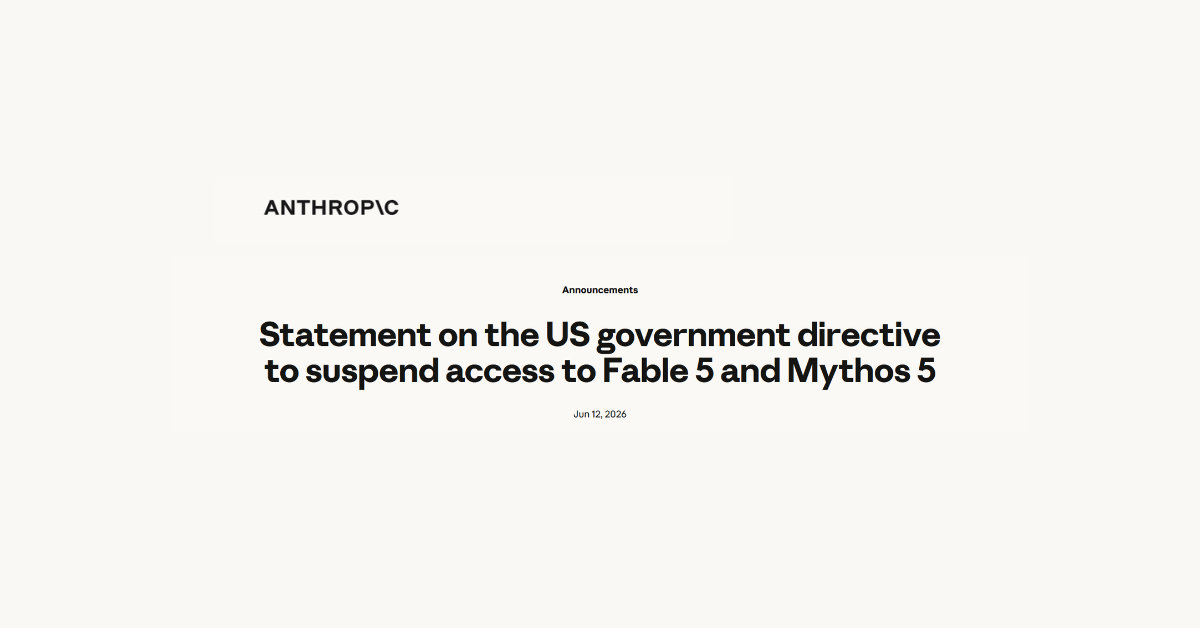
The government’s request reportedly included opening the product up to mass surveillance and autonomous weapons. A growing number of users want AI tools that demonstrate clear ethical boundaries and Anthropic released this statement as a direct response to the Department of War’s request.
At the same time, OpenAI took a different path. The company agreed to certain government conditions and partnerships intended to shape how its AI systems are deployed and governed.
Supporters argue this collaboration helps ensure national security oversight and responsible AI development. Critics worry that deeper cooperation between AI companies and governments could lead to more influence over how these systems behave.
This contrast between Anthropic and OpenAI has fueled debate within the technology community. One company chose to publicly resist modifying safety controls, while the other agreed to work within government defined frameworks. Neither approach is necessarily simple. Each reflects a different philosophy about how powerful AI technology should be managed.
Artificial intelligence systems are quickly becoming embedded in business operations, software development, cybersecurity analysis, and everyday productivity tools. Decisions about safeguards are not theoretical. They directly influence how these systems behave in real world environments.
When companies decide whether to weaken or strengthen safety systems, several factors come into play.
Public trust in the platform
Legal and regulatory pressure
National security concerns
Competition between AI providers
Ethical responsibility for how the technology is used
The recent surge in Claude subscribers suggests that a portion of the market is paying close attention to how AI companies handle these decisions. Users are no longer just comparing features, they are comparing values and whether the products they’re supporting with their hard earned money align with those values.
The AI industry has moved far beyond experimental research. It is now a competitive marketplace where reputation matters.
Companies that demonstrate transparency about safety practices may gain credibility with customers who are concerned about misuse, misinformation, or privacy. At the same time, companies that cooperate closely with governments may gain regulatory stability and access to major contracts. Both strategies will likely continue to shape the next phase of the AI market.
Anthropic’s experience shows that ethical positioning can directly affect adoption. When users believe a platform is protecting safety standards, they may be more willing to trust it with their data, workflows, and decisions.
For organizations using AI tools, the takeaway is not about picking sides between companies. The real lesson is that governance around AI is evolving rapidly.
Business leaders should be asking a few key questions when adopting AI platforms.
What safeguards are built into the system
Who influences how the system behaves
How transparent the vendor is about safety policies
Whether the company has a clear ethical framework
AI is quickly becoming part of everyday business infrastructure. Just like cybersecurity or data privacy, the policies behind the technology matter.
The recent attention surrounding Anthropic and OpenAI is a reminder that the future of AI will not only be defined by capability. It will also be defined by the choices companies make when pressure arrives.
And as Claude’s subscriber spike suggests, users are paying attention. If evaluating AI tools for your business is a priority for 2026, you’re not alone. We have had collaborative conversations with our clients at an increasing rate as they look for AI solutions that fit their needs and align with their company mission statements, and we help them address those evaluations from a technical standpoint. Learn more today with a consultation.
CISA which stands for Cybersecurity & Infrastructure Security Agency is a federally recognized and funded cybersecurity agency that works to protect the United States from cyber threats, their mission statement reads:
“We lead the national effort to understand, manage, and reduce risk to our cyber and physical infrastructure.”
CISA collects, analyzes, and shares threat intelligence so organizations can act before damage occurs. This includes vulnerability alerts, Known Exploited Vulnerabilities (KEV) catalog updates, and joint advisories with partners like the FBI and NSA. The goal is simple: shorten the time between “threat discovered” and “defenses updated.”
Now due to federal cuts initiated by the Trump administration they’re operating at just 38% of their necessary staffing levels, these cuts included staff that worked under programs such as the counter-ransomware initiative and one that oversaw efforts to promote secure software development. Many of their employees were also reassigned to other agencies such as the Department of Homeland Security as funding and efforts are shifted to the administration’s immigration crackdowns.
CISA has also been without a permanent director since Trump took office, leaving the agency both without the necessary manpower and crucial leadership guidance. While the agency continues to exist, it’s hard to ignore that these cuts may have a real time effect on our country’s national security. Business owners in particular should be wary of an increase in potential threat as bad actors may take advantage of this gap.
Cuts to government programs such as these can trickle down to business owners, the effects will not be immediate but sustained cuts to CISA can quietly increase cyber risk, slow federal support, and shift more responsibility (and cost) onto businesses and their MSPs. These are four trickle down affects you should be aware of:
1. Slower and shallower threat intelligence
CISA is one of the primary pipes pushing timely threat intelligence to the private sector. If funding drops, you often see:
Fewer or slower vulnerability advisories
Less frequent updates to the Known Exploited Vulnerabilities catalog
Reduced joint analysis with FBI and NSA
Less sector-specific guidance
Business impact: Owners and MSPs get less early warning. That increases dwell time for attackers and raises breach probability over time.
2. Reduced free security services
Many organizations (including SMBs, schools, local governments, and some private entities) rely on CISA’s no-cost services such as:
If budgets tighten, these programs are often first on the chopping block or become capacity-constrained, leaving you optionless when you need their support.
Business impact:
Fewer free scans available
Longer wait times
More reliance on paid security assessments
MSPs must fill the gap
3. Weaker critical infrastructure resilience
CISA plays a coordination role across sectors like healthcare, energy, water, and transportation. Funding cuts can mean:
Fewer field advisors
Less regional engagement
Reduced ICS/OT security work
Slower cross-sector coordination
Business impact:
Even if you think of yours as “just a small business,” you depend on these sectors. Increased fragility upstream can mean:
More outages
More supply chain disruptions
Higher cyber insurance pressure
More third-party risk exposure
This is the second-order effect many owners miss.
4. Slower incident response support at scale
For large or multi-organization incidents, CISA helps coordinate national response. With fewer resources:
Surge capacity drops
Federal assistance may triage more aggressively
Recovery guidance may lag during major events
Business impact:
Most business owners do not call CISA directly. But during widespread campaigns (think mass exploitation events), weaker federal coordination can mean:
Longer active threat windows
More widespread compromise
Slower ecosystem-wide containment
The bottom line, cuts such as these carry consequences, some that you can anticipate and some that you can’t. Either way, it’s of the utmost importance that in 2026 you have protections in place that specifically cover your business from threat actors, regardless of what protections may be in place nationwide. All Valley Techlogic plans include cybersecurity protections (including 24/7 threat detection and monitoring) by default. Learn more today through a consultation.
We use cookies to improve your experience on our site. By using our site, you consent to cookies.
Cookie Preferences
Manage your cookie preferences below:
Essential cookies enable basic functions and are necessary for the proper function of the website.
Name
Description
Duration
Cookie Preferences
This cookie is used to store the user's cookie consent preferences.
30 days
Bing, powered by Microsoft, is a search engine providing web, image, video, and map search capabilities.
Name
Description
Duration
_uetvid
1 Year
KievRPSAuth
Helps to authenticate you when you sign in with your Microsoft account.
5 years
MSNRPSAuth
Helps to authenticate you when you sign in with your Microsoft account.
5 years
MSPAuth
Helps to authenticate you when you sign in with your Microsoft account.
5 years
PPAuth
Helps to authenticate you when you sign in with your Microsoft account.
5 years
CC
Contains a country code as determined from your IP address.
1 year
ANONCHK
Used to store session ID for a users session to ensure that clicks from adverts on the Bing search engine are verified for reporting purposes and for personalisation
10 minutes
ANON
Contains the A, a unique identifier derived from your Microsoft account, which is used for advertising, personalization, and operational purposes. It is also used to preserve your choice to opt out of interest-based advertising from Microsoft if you have chosen to associate the opt-out with your Microsoft account.
1 year
_uetvid
This is a cookie utilised by Microsoft Bing Ads and is a tracking cookie. It allows us to engage with a user that has previously visited our website.
16 days
_uetsid
This cookie is used by Bing to determine what ads should be shown that may be relevant to the end user perusing the site.
30 minutes
MSFPC
Identifies unique web browsers visiting Microsoft sites. These cookies are used for advertising, site analytics, and other operational purposes.
1 year
ACH01
Maintains information about which ad and where the user clicked on the ad.
End of session (browser)
x-ms-gateway-slice
Identifies a gateway for load balancing.
End of session (browser)
ToptOut
Records your decision not to receive interest-based advertising delivered by Microsoft.
1 year
AADSSO
Microsoft Microsoft Online Authentication Cookie
End of session (browser)
brcap
Microsoft Microsoft Online Authentication Cookie
1 year
MUID
Identifies unique web browsers visiting Microsoft sites. These cookies are used for advertising, site analytics, and other operational purposes.
1 year
MUIDB
Identifies unique web browsers visiting Microsoft sites. These cookies are used for advertising, site analytics, and other operational purposes.
1 year
MC1
Identifies unique web browsers visiting Microsoft sites. These cookies are used for advertising, site analytics, and other operational purposes.
1 year
MR
Used to collect information for analytics purposes.
6 months
MH
Appears on co-branded sites where Microsoft is partnering with an advertiser. This cookie identifies the advertiser, so the right ad is selected.
End of session (browser)
MS0
Identifies a specific session.
End of session (browser)
_UR
This cookie is used by the Bing advertising network for advertising tracking purposes.
1 year
NAP
Contains an encrypted version of your country, postal code, age, gender, language and occupation, if known, based on your Microsoft account profile.
1 year
childinfo
Contains information that Microsoft account uses within its pages in relation to child accounts.
5 years
kcdob
Contains information that Microsoft account uses within its pages in relation to child accounts.
5 years
kcrelid
Contains information that Microsoft account uses within its pages in relation to child accounts.
5 years
kcru
Contains information that Microsoft account uses within its pages in relation to child accounts.
5 years
pcfm
Contains information that Microsoft account uses within its pages in relation to child accounts.
5 years
ACLUSR
This cookie is used for advertisement tracking purposes.
1 year
_HPVN
Analysis service that connects data from the Bing advertising network with actions performed on the website.
1 year
MC0
Detects whether cookies are enabled in the browser.
End of session (browser)
_RwBf
This cookie helps us to track the effectiveness of advertising campaigns on the Bing advertising network.
1 year
MSPProf
Helps to authenticate you when you sign in with your Microsoft account.
5 years
SRM_B
Collected user data is specifically adapted to the user or device. The usercan also be followed outside of the loaded website, creating a picture of the visitor's behavior.
1 year
WLSSC
Helps to authenticate you when you sign in with your Microsoft account.
5 years
MSPTC
This cookie registers data on the visitor. The information is used to optimize advertisement relevance.
1 year
ACL
This cookie is used for advertisement tracking purposes.
3 months
BFB
This cookie is used for advertisement tracking purposes.
1 year
BFBUSR
This cookie is used for advertisement tracking purposes.
1 year
BCP
This cookie is used for advertisement tracking purposes.
1 year
OIDR
This cookie is used by the Bing advertising network for advertising tracking purposes.
3 months
OIDI
This cookie is used by the Bing advertising network for advertising tracking purposes.
3 months
OID
This cookie is used by the Bing advertising network for advertising tracking purposes.
3 months
Hotjar is a powerful analytics tool that helps you understand user behavior through heatmaps and session recordings.
Name
Description
Duration
_hjSessionUser_1849187
1 Year
_hjShownFeedbackMessage
This cookie is set when a visitor minimizes or completes Incoming Feedback. This is done so that the Incoming Feedback will load as minimized immediately if they navigate to another page where it is set to show.
365 days
_hjDonePolls
Hotjar cookie. This cookie is set once a visitor completes a poll using the Feedback Poll widget. It is used to ensure that the same poll does not re-appear if it has already been filled in.
365 days
_hjMinimizedPolls
Hotjar cookie. This cookie is set once a visitor minimizes a Feedback Poll widget. It is used to ensure that the widget stays minimizes when the visitor navigates through your site.
365 days
_hjDoneTestersWidgets
Hotjar cookie. This cookie is set once a visitor submits their information in the Recruit User Testers widget. It is used to ensure that the same form does not re-appear if it has already been filled in.
365 days
_hjMinimizedTestersWidgets
Hotjar cookie. This cookie is set once a visitor minimizes a Recruit User Testers widget. It is used to ensure that the widget stays minimizes when the visitor navigates through your site.
365 days
_hjHasCachedUserAttributes
This cookie sets when a user first lands on a page. Persists the Hotjar User ID which is unique to that site. Hotjar does not track users across different sites. Ensures data from subsequent visits to the same site are attributed to the same user ID.
365 days
_hjCookieTest
This cookie checks to see if the Hotjar Tracking Code can use cookies. If it can, a value of 1 is set.
Session
_hjUserAttributesHash
User Attributes sent through the Hotjar Identify API are cached for the duration of the session in order to know when an attribute has changed and needs to be updated.
session
_hjCachedUserAttributes
This cookie stores User Attributes which are sent through the Hotjar Identify API, whenever the user is not in the sample. These attributes will only be saved if the user interacts with a Hotjar Feedback tool.
session
_hjLocalStorageTest
This cookie is used to check if the Hotjar Tracking Script can use local storage. If it can, a value of 1 is set in this cookie. The data stored in_hjLocalStorageTest has no expiration time, but it is deleted immediately after creating it so the expected storage time is under 100ms.
-
_hjid
Hotjar cookie. This cookie is set when the customer first lands on a page with the Hotjar script. It is used to persist the random user ID, unique to that site on the browser. This ensures that behavior in subsequent visits to the same site will be attributed to the same user ID.
365 days
hj_visitor
hotjar uses cookies to enhance the user’s experience on our website, for example to complete forms, navigating the site, and identify returning users and offer related content. Users can control the use of cookies at the individual browser level.
Session
_hjIncludedInSample
Hotjar cookie. This session cookie is set to let Hotjar know whether that visitor is included in the sample which is used to generate funnels.
365 days
_hjClosedSurveyInvites
Hotjar cookie. This cookie is set once a visitor interacts with a Survey invitation modal popup. It is used to ensure that the same invite does not re-appear if it has already been shown.
365 days
_hjSessionRejected
If present, this cookie will be set to 1 for the duration of a user’s session, if Hotjar rejected the session from connecting to our WebSocket due to server overload. This cookie is only applied in extremely rare situations to prevent severe performance issues.
session
_hjIncludedInSessionSample
This cookie is set to let Hotjar know whether that visitor is included in the data sampling defined by your site's daily session limit
30 minutes
_hjSession_
A cookie that holds the current session data. This ensues that subsequent requests within the session window will be attributed to the same Hotjar session.
30 minutes
_hjSessionUser_
Hotjar cookie that is set when a user first lands on a page with the Hotjar script. It is used to persist the Hotjar User ID, unique to that site on the browser. This ensures that behavior in subsequent visits to the same site will be attributed to the same user ID.
365 days
_hjSessionTooLarge
Causes Hotjar to stop collecting data if a session becomes too large. This is determined automatically by a signal from the WebSocket server if the session size exceeds the limit.
session
_hjSessionResumed
A cookie that is set when a session/recording is reconnected to Hotjar servers after a break in connection.
session
hjViewportId
This cookie stores user viewport details such as size and dimensions.
Session
_hjSessionStorageTest
This cookie checks if the Hotjar Tracking Code can use Session Storage. If it can, a value of 1 is set.
Session
_hjTLDTest
When the Hotjar script executes we try to determine the most generic cookie path we should use, instead of the page hostname. This is done so that cookies can be shared across subdomains (where applicable). To determine this, we try to store the _hjTLDTest cookie for different URL substring alternatives until it fails. After this check, the cookie is removed.
session
_hjIncludedInPageviewSample
This cookie is set to let Hotjar know whether that visitor is included in the data sampling defined by your site's page view limit.
30 minutes
_hjFirstSeen
The cookie is set so Hotjar can track the beginning of the user's journey for a total session count. It does not contain any identifiable information.
30 minutes
_hjAbsoluteSessionInProgress
The cookie is set so Hotjar can track the beginning of the user's journey for a total session count. It does not contain any identifiable information.
30 minutes
_hjptid
This cookie is set for logged in users of Hotjar, who have Admin Team Member permissions. It is used during pricing experiments to show the Admin consistent pricing across the site.
session
Statistics cookies collect information anonymously. This information helps us understand how visitors use our website.
Google Analytics is a powerful tool that tracks and analyzes website traffic for informed marketing decisions.
Used by Google Analytics to determine which links on a page are being clicked
30 seconds
_gid
ID used to identify users for 24 hours after last activity
24 hours
_gat
Used to monitor number of Google Analytics server requests when using Google Tag Manager
1 minute
_gac_
Contains information related to marketing campaigns of the user. These are shared with Google AdWords / Google Ads when the Google Ads and Google Analytics accounts are linked together.
90 days
__utmx
Used to determine whether a user is included in an A / B or Multivariate test.
18 months
__utmv
Contains custom information set by the web developer via the _setCustomVar method in Google Analytics. This cookie is updated every time new data is sent to the Google Analytics server.
2 years after last activity
__utmz
Contains information about the traffic source or campaign that directed user to the website. The cookie is set when the GA.js javascript is loaded and updated when data is sent to the Google Anaytics server
6 months after last activity
__utmc
Used only with old Urchin versions of Google Analytics and not with GA.js. Was used to distinguish between new sessions and visits at the end of a session.
End of session (browser)
__utmb
Used to distinguish new sessions and visits. This cookie is set when the GA.js javascript library is loaded and there is no existing __utmb cookie. The cookie is updated every time data is sent to the Google Analytics server.
30 minutes after last activity
__utmt
Used to monitor number of Google Analytics server requests
10 minutes
__utma
ID used to identify users and sessions
2 years after last activity
Hotjar is a powerful analytics tool that helps you understand user behavior through heatmaps and session recordings.
Name
Description
Duration
_hjShownFeedbackMessage
This cookie is set when a visitor minimizes or completes Incoming Feedback. This is done so that the Incoming Feedback will load as minimized immediately if they navigate to another page where it is set to show.
365 days
_hjMinimizedTestersWidgets
Hotjar cookie. This cookie is set once a visitor minimizes a Recruit User Testers widget. It is used to ensure that the widget stays minimizes when the visitor navigates through your site.
365 days
_hjDoneTestersWidgets
Hotjar cookie. This cookie is set once a visitor submits their information in the Recruit User Testers widget. It is used to ensure that the same form does not re-appear if it has already been filled in.
365 days
_hjMinimizedPolls
Hotjar cookie. This cookie is set once a visitor minimizes a Feedback Poll widget. It is used to ensure that the widget stays minimizes when the visitor navigates through your site.
365 days
_hjDonePolls
Hotjar cookie. This cookie is set once a visitor completes a poll using the Feedback Poll widget. It is used to ensure that the same poll does not re-appear if it has already been filled in.
365 days
_hjClosedSurveyInvites
Hotjar cookie. This cookie is set once a visitor interacts with a Survey invitation modal popup. It is used to ensure that the same invite does not re-appear if it has already been shown.
365 days
_hjIncludedInSample
Hotjar cookie. This session cookie is set to let Hotjar know whether that visitor is included in the sample which is used to generate funnels.
365 days
hj_visitor
hotjar uses cookies to enhance the user’s experience on our website, for example to complete forms, navigating the site, and identify returning users and offer related content. Users can control the use of cookies at the individual browser level.
Session
_hjid
Hotjar cookie. This cookie is set when the customer first lands on a page with the Hotjar script. It is used to persist the random user ID, unique to that site on the browser. This ensures that behavior in subsequent visits to the same site will be attributed to the same user ID.
365 days
_hjHasCachedUserAttributes
This cookie sets when a user first lands on a page. Persists the Hotjar User ID which is unique to that site. Hotjar does not track users across different sites. Ensures data from subsequent visits to the same site are attributed to the same user ID.
365 days
_hjSessionResumed
A cookie that is set when a session/recording is reconnected to Hotjar servers after a break in connection.
session
hjViewportId
This cookie stores user viewport details such as size and dimensions.
Session
_hjSessionStorageTest
This cookie checks if the Hotjar Tracking Code can use Session Storage. If it can, a value of 1 is set.
Session
_hjTLDTest
When the Hotjar script executes we try to determine the most generic cookie path we should use, instead of the page hostname. This is done so that cookies can be shared across subdomains (where applicable). To determine this, we try to store the _hjTLDTest cookie for different URL substring alternatives until it fails. After this check, the cookie is removed.
session
_hjCookieTest
This cookie checks to see if the Hotjar Tracking Code can use cookies. If it can, a value of 1 is set.
Session
_hjUserAttributesHash
User Attributes sent through the Hotjar Identify API are cached for the duration of the session in order to know when an attribute has changed and needs to be updated.
session
_hjCachedUserAttributes
This cookie stores User Attributes which are sent through the Hotjar Identify API, whenever the user is not in the sample. These attributes will only be saved if the user interacts with a Hotjar Feedback tool.
session
_hjLocalStorageTest
This cookie is used to check if the Hotjar Tracking Script can use local storage. If it can, a value of 1 is set in this cookie. The data stored in_hjLocalStorageTest has no expiration time, but it is deleted immediately after creating it so the expected storage time is under 100ms.
-
_hjSessionTooLarge
Causes Hotjar to stop collecting data if a session becomes too large. This is determined automatically by a signal from the WebSocket server if the session size exceeds the limit.
session
_hjSessionRejected
If present, this cookie will be set to 1 for the duration of a user’s session, if Hotjar rejected the session from connecting to our WebSocket due to server overload. This cookie is only applied in extremely rare situations to prevent severe performance issues.
session
_hjSessionUser_
Hotjar cookie that is set when a user first lands on a page with the Hotjar script. It is used to persist the Hotjar User ID, unique to that site on the browser. This ensures that behavior in subsequent visits to the same site will be attributed to the same user ID.
365 days
_hjSession_
A cookie that holds the current session data. This ensues that subsequent requests within the session window will be attributed to the same Hotjar session.
30 minutes
_hjIncludedInSessionSample
This cookie is set to let Hotjar know whether that visitor is included in the data sampling defined by your site's daily session limit
30 minutes
_hjIncludedInPageviewSample
This cookie is set to let Hotjar know whether that visitor is included in the data sampling defined by your site's page view limit.
30 minutes
_hjFirstSeen
The cookie is set so Hotjar can track the beginning of the user's journey for a total session count. It does not contain any identifiable information.
30 minutes
_hjAbsoluteSessionInProgress
The cookie is set so Hotjar can track the beginning of the user's journey for a total session count. It does not contain any identifiable information.
30 minutes
_hjptid
This cookie is set for logged in users of Hotjar, who have Admin Team Member permissions. It is used during pricing experiments to show the Admin consistent pricing across the site.
session
Marketing cookies are used to follow visitors to websites. The intention is to show ads that are relevant and engaging to the individual user.
Beamer is a presentation software that enables users to create engaging, interactive slideshows for diverse audiences.
Name
Description
Duration
_BEAMER_USER_ID_DjYMYPMX42643
1 Year
_BEAMER_LAST_UPDATE_DjYMYPMX42643
1 Year
_BEAMER_LAST_POST_SHOWN_DjYMYPMX42643
1 year
_BEAMER_FIRST_VISIT_DjYMYPMX42643
-
_BEAMER_FIRST_VISIT_
Set by Beamer (hotjar.com) to store the date of the user’s first interaction with insights.
3000 days
_BEAMER_USER_ID_
Set by Beamer (hotjar.com) to store an internal ID for a user.
300 days
_BEAMER_DATE_
Set by Beamer (hotjar.com). Stores the latest date in which the feed or page was opened.
300 days
_BEAMER_LAST_POST_SHOWN_
Set by Beamer (hotjar.com). Stores the timestamp for the last time the number of unread posts was updated for the user.
300 days
_BEAMER_FILTER_BY_URL_
This cookie is set by Beamer to store whether to apply URL filtering on the feed
20 minutes
Facebook Pixel is a web analytics service that tracks and reports website traffic.