
Author: rory-admin

  • 6 AI Do’s and Don’t’s Including ways you may be jeopardizing your workplace data with your AI use (and how to avoid)

    6 AI Do’s and Don’t’s Including ways you may be jeopardizing your workplace data with your AI use (and how to avoid)

    AI or Artificial Intelligence is becoming more and more common place in our daily lives, including in our places of work. You may even be using it daily without realizing it, most search engines for example have an AI response to queries baked in at the top of the page and if that’s the farthest you look then all of your searches are currently being powered by AI.

    Other tools like weather apps, navigation and even the spam filter in your inbox is using AI to train and collect data that is then given back to you as answers to your questions or provide solutions you are looking for. Drive a Tesla? All of your driving data is collected and used to train their autonomous car algorithms.

    Which brings us to the topic of today’s article, AI in general is powered by give and take. The models collect our data and turn that data into answers, it’s a common misconception that AI is producing the answers all by itself. Machine learning operates on a rule of 10, basically for every query you need 10 ways to respond, and those responses are collected by unfathomable amounts of data fed into it. Think of the breadth of knowledge an AI program like ChatGPT seems to have and you can begin to see that it would take a lot of data for it to provide to answers to millions of different questions it’s asked each day.

    So that data comes from you, and me, and everyone who’s ever interacted on the internet in a meaningful way. It’s not necessarily a bad thing, after all humanity tends to accomplish its greatest achievements when we all work in unison towards a goal. Although the way that the data is collected and how to approach things like copyright are still being determined.

    So, with all that said you might be wondering, what’s the problem? What should I be worried about when using AI in my workplace? As a technology company, we believe in using the tools available to streamline and strengthen our productivity, but we have determined that companies should be aware of these three things when using a burgeoning technology like AI in their workplace:

    1. Data Risks: As we hinted at above, AI systems tend to syphon as much information as they can to strengthen their machine learning algorithms. This includes potentially sensitive data. Any AI strategy should include how to protect and segment data you don’t want leaked to the outside world.
    2. Errors and Reliability: There are risks to trusting AI completely when looking for answers, AI data sets are fed by a wide range of sources and not all of them are trustworthy. You should always vet any answers you receive, especially if the question you’re asking is an important one.
    3. Bias, Discrimination and Transparency: Most of the AI tools currently on the market are being created by private companies and the processes used are hidden from outside view, so we should keep in mind that it’s possible the answers we’re receiving have been manipulated to reflect a certain outcome. Again, always vet the answers you receive from AI.

    Now that we’ve touched on the things to look out for, what are three things that you can safely use AI for in your workplace?

    1. Use a local AI model: Most people are not aware you can actually have a local in-house AI model, these may be more limited in scope but will not present the security risk of public facing AI and can be built on your own data.
    2. Automating repetitive tasks: Certain tasks won’t carry any risk of data exposure, such as scheduling or creating reports without PII (Personal Identifying Information).
    3. Use it to interact with customers: One of the best use cases of AI currently for businesses is automated chatbots, chatbots can be available 24 hours a day and field simple questions and answers which free up your staff for other activities.

    If you’re looking for the most practical and safest way to begin using AI in your business, Valley Techlogic can help. We are experienced in creating customized technology solutions for our clients and can advise on the way to implement an AI plan that doesn’t compromise on cybersecurity best practices. Reach out today for a consultation.

    Looking for more to read? We suggest these other articles from our site.

    This article was powered by Valley Techlogic, leading provider of trouble free IT services for businesses in California including Merced, Fresno, Stockton & More. You can find more information at https://www.valleytechlogic.com/ or on Facebook at https://www.facebook.com/valleytechlogic/ . Follow us on X at https://x.com/valleytechlogic and LinkedIn at https://www.linkedin.com/company/valley-techlogic-inc/.


  • 5 ways to organize your Microsoft 365 files to maximize your productivity this year

    5 ways to organize your Microsoft 365 files to maximize your productivity this year

    If you’re a Microsoft 365 subscriber – or considering it to utilize tools like Word, Excel, PowerPoint and more in your business – you may not be taking advantage of all of the features it has to offer.

    These features include ways to help organize your files and corral your workload under one umbrella, which is useful with the deluge of information many of us are processing each day in the course of performing our job duties.

    Here are five ways to utilize Microsoft 365 to organize your files day to day:

    1. Use OneDrive for Personal Storage – Store and organize personal work files in OneDrive, using folders and tags for easy retrieval. OneDrive also allows for automatic backup and syncing across devices.
    2. Leverage SharePoint for Team Collaboration – Store shared files in SharePoint libraries, where teams can access, edit, and co-author documents with version control and permission settings.
    3. Utilize Microsoft Teams for File Organization – Upload and manage files directly in Microsoft Teams under specific channels, ensuring that relevant documents are easily accessible to team members.
    4. Tag and Search with Microsoft Search – Use metadata, tags, and keywords in file names to make documents easier to find using Microsoft Search across OneDrive, SharePoint, and Teams.
    5. Automate File Organization with Power Automate – Set up workflows that automatically sort, move, or categorize files based on specific triggers (e.g., when a file is uploaded, it moves to a designated folder).

    OneDrive in particular can be very helpful in extending your computers storage and organizing files to share throughout your company and can replace more insecure methods like DropBox or emailing directly. OneDrive can even be purchased as a standalone subscription if you’re not sure about making the switch to Microsoft 365 yet (though we highly recommend it).

    Also, if exploring AI as a tool to increase productivity is one of your 2025 goals, Microsoft’s Copilot and OneDrive work together seamlessly to help you with your automatic file organization goals. Copilot can make suggestions on how you should organize your files based on their content, usage and collaboration history.

    It also gives you a hand with searching for files in a way that’s more intuitive than your average Windows file search function. You can ask it something like “Show me the files I worked on last week” instead of trying to remember specific file names for example.

    Valley Techlogic has been partnering with Microsoft for more than 20 years and we’re experts in providing businesses with cohesive solutions that help them maximize their technology investments, including subscriptions like Microsoft 365. Schedule a consultation with us today to learn more.

    Looking for more to read? We suggest these other articles from our site.

    This article was powered by Valley Techlogic, leading provider of trouble free IT services for businesses in California including Merced, Fresno, Stockton & More. You can find more information at https://www.valleytechlogic.com/ or on Facebook at https://www.facebook.com/valleytechlogic/ . Follow us on X at https://x.com/valleytechlogic and LinkedIn at https://www.linkedin.com/company/valley-techlogic-inc/.

  • China enters the AI race with the release of DeepSeek, prompting conversations about what happens when AI tools take data from each other (rather than just the general public)

    China enters the AI race with the release of DeepSeek, prompting conversations about what happens when AI tools take data from each other (rather than just the general public)

    The race for domination continues to heat up at China’s AI model “DeepSeek” enters the fray, just days after newly inaugurated President Trump announced his plans to invest 500 billion in AI infrastructure during the course of his term.

    Established as a startup under the same umbrella as the quantitive hedge fund High-Flyer, which is primarily owned by AI enthusiast Liang WenFeng (who built his fortune during the 2007-2008 financial crisis), little has been verified about how DeepSeek came to be.

    That has not stopped endless speculation since it’s launch was announced, including how much of it is modeled after existing AI models such OpenAI’s ubiquitous model, ChatGPT.

    Also being questioned is how the chips it was trained on were sourced, chip restrictions were placed in on China in 2019 which continued under President Biden specifically to curtail China’s ability to access infrastructure used in the advancement of AI technology. This restriction not only covered the chips themselves, but the technology used to manufacture them.

    According to Liang, he sourced the the 10,000 Nvidia A100 GPUs prior to the federally imposed ban.

    At present time the founders of DeepSeek are indicating that their goal is to continue the research and advancement of AI infrastructure with their model and not seek commercialization. To back these claims, you can currently download the first series of their model for free open source whether you’re a researcher or a commercial user.

    It should also be noted that DeepSeek has an updated data set as compared to ChatGPT, which is currently capped to data from 2023, what this means is its most recent data is from 2023 and before and anything that occurred in 2024 and beyond would not be available so if you were to example ask ChatGPT “Who won the 2024 Presidential Election?” it may not give you a correct answer.

    There have also been claims that DeepSeek is much cheaper to train, although training costs for existing AI models are largely inflated. These costs are based on the cost of cloud computing rental prices, which have a wide range of variance.

    AI training costs vary wildly depending on a range of factors.

    AI and cloud computing are both worthy investments for businesses looking to strategically position themselves for technology growth in 2025 and beyond, and Valley Techlogic is at the forefront of utilizing these technologies.

    Whether it be initializing AI tools like Microsoft’s Co-Pilot in your business or migrating more of your operations to the cloud to reduce overhead spending on physical hardware, we’ve got you covered. Reach out today for a consultation and learn how you can catapult your business forward with technology advancements through Valley Techlogic.

    Looking for more to read? We suggest these other articles from our site.

    This article was powered by Valley Techlogic, leading provider of trouble free IT services for businesses in California including Merced, Fresno, Stockton & More. You can find more information at https://www.valleytechlogic.com/ or on Facebook at https://www.facebook.com/valleytechlogic/ . Follow us on X at https://x.com/valleytechlogic and LinkedIn at https://www.linkedin.com/company/valley-techlogic-inc/.
  • If you have a K-12 aged student in your household, the hack on educational software PowerSchool is one you need to be aware of

    If you have a K-12 aged student in your household, the hack on educational software PowerSchool is one you need to be aware of

    As of January 24th very little has come out about the hack on the nationwide cloud-based software solution provider, PowerSchool, which provides tools to school districts in the form of staff management, attendance taking, enrollment, grade information and more.

    According to their website, this attack occurred on December 28th, 2024. They were alerted to the breach when the exportation of data began and there was no other indication prior to that such as systems being down. The company has offered to provide credit monitoring services for the students and staff whose data was leaked in the breach.

    This data includes, grade and school information, addresses and phone numbers, email addresses, social security numbers and more. 6,505 school districts data were leaked in the attack, and it’s estimated 62 million students could be affected. This not only affects students in the US but Canada as well.

    According to Bleeping Computer, PowerSchool has also paid a ransom to the attackers in a yet to be known sum to stave off the release of data. This Isn’t usually a worthwhile tactic, it’s estimated 92% of businesses that pay the ransom don’t get their data back in the end (as was the case for Apple when Apple Watch and MacBook Pro blueprints were stolen in 2021).

    There are some concrete reasons not to pay the ransom in the event your data is stolen by bad actors:

    1. No Guarantee of Data Recovery: Paying the ransom does not ensure that attackers will decrypt your data or return it. Many victims have paid and never received their files back.
    2. Encourages Future Attacks: Paying a ransom signals to attackers that their tactic works, potentially making your business and others a target for future attacks.
    3. Funds Criminal Activity: The ransom you pay could fund other illegal activities, such as drug trafficking, human trafficking, or furth er cybercrimes
    4. Reputational Damage: If it becomes public knowledge that your business paid a ransom, it could harm your reputation, as customers and partners may view it as a sign of vulnerability.
    5. Potential for Higher Demands: After paying, attackers might demand additional payments, holding you hostage repeatedly.

    If your business has been, or is currently the victim of a ransomware attack, Valley Techlogic can help. We have helped businesses remediate ongoing cyberthreats and have been able to introduce systems and cybersecurity measures that can help prevent future attacks. Even if you business has never suffered a cyber attack, why continue to risk it with attackers continuously evolving their strategies year over year?

    Investing in technology protection today ensures your business will continue to thrive tomorrow, 60% of small businesses close after a significant cyber attack. Don’t be a statistic, protect your business today.

    Looking for more to read? We suggest these other articles from our site.

    This article was powered by Valley Techlogic, leading provider of trouble free IT services for businesses in California including Merced, Fresno, Stockton & More. You can find more information at https://www.valleytechlogic.com/ or on Facebook at https://www.facebook.com/valleytechlogic/ . Follow us on X at https://x.com/valleytechlogic and LinkedIn at https://www.linkedin.com/company/valley-techlogic-inc/.

  • As Biden is set to leave office in a matter of days, he released an executive order aimed at bolstering US cyber defense

    As Biden is set to leave office in a matter of days, he released an executive order aimed at bolstering US cyber defense

    In what is truly the 11th hour (inauguration day for President Trump is January 20th, 3 days from now at the time of writing), the Biden administration announced an executive order that looks to strengthen US cyber defenses against outside influence, particularly from Russia and China.

    Described as a “sweeping” move, the executive order covers topics from cyber threat vulnerabilities to guidance on consumer electronics and even outer space.

    The order gives enhanced authority to CISA (Cybersecurity and Infrastructure Security Agency) to hunt for threats on federal networks, likely a response to the recent news that President Trumps communication with Vice President JD Vance may have been compromised by Chinese hackers.

    The order also covers additional protections for Federal agencies, including implementing end-to-end encryption for all video and email communication and stating  that by 2027 any internet connected devices purchased for federal use must have a “cyber trust mark” indicating they meet current cyber standards. Internet connected devices have a wide range of criteria in 2025, everything from home security systems to our appliances has an internet connected option in our modern world.

    The order also covers requiring enhanced cybersecurity measures for our space systems, likely in response to Russia targeting Ukraine’s satellite systems in the ongoing invasion.

    The order even takes aim at Microsoft specifically, citing a host of errors that allowed Chinese attackers to breach their networks in 2023 which had downstream consequences for our federal government (senior US officials email accounts were allegedly breached in the aftermath of the attack).

    Trump’s team has not yet responded to the new executive order so it’s unclear how much follow through will be had on it once he regains office next week, however the Biden team is optimistic on its longevity as bolstering US cyber defense was also a goal during the initial Trump administration (CISA was created in 2018 under Trump’s first term).

    As our government looks to shore up their cybersecurity practices in 2025, what are you doing to ensure your business is protected from ongoing threats?

    Cyberthreats are not limited to large scale attacks on larger businesses, small businesses are often seen as “easy targets” and can also be swept up in the aftermath of an attack aimed at someone else.

    Implementing strong cybersecurity measures, such as secure passwords, regular software updates, employee training, and robust data encryption, not only protects the business but also builds trust with customers. It is clear, in 2025 cybersecurity is no longer a topic that can be pushed off until a later time. The threats are here now and the time to act is before your business is compromised, because afterward it might be too late.

    Valley Techlogic includes cybersecurity protection as a core offering in all of our customized service plans. Learn more today with a free consultation.

    Looking for more to read? We suggest these other articles from our site.

    This article was powered by Valley Techlogic, leading provider of trouble free IT services for businesses in California including Merced, Fresno, Stockton & More. You can find more information at https://www.valleytechlogic.com/ or on Facebook at https://www.facebook.com/valleytechlogic/ . Follow us on X at https://x.com/valleytechlogic and LinkedIn at https://www.linkedin.com/company/valley-techlogic-inc/.

  • Are cyber attacks still being conducted the same way in 2025? Top 8 cyber attack methods explained

    Are cyber attacks still being conducted the same way in 2025? Top 8 cyber attack methods explained

    New year, new threats? Hackers have not slowed down their efforts year over year, in 2024 the average cost of a data breach rose to 9.36 million US dollars. Of course this is taking into account the massive breaches that occurred last year with one attack costing the company that was targeted $500 million dollars.

    Still, even for smaller businesses the average cost is usually somewhere between $120,000 to $150,000 – no small sum. Year over year though, the types of attacks haven’t changed even if they’ve become more effective in scale. These top 8 attack methods remain the same (with the first one leading in effectiveness by a landside):

    1. Phishing: Phishing remains the top attack vector in 2024, with 90% of attacks still starting with a phishing email. Our advice on how to spot a phishing email has also stayed the same.
    2. Ransomware comes in second and is preceded by a phishing email 40% of the time. In 2024 the largest single ransomware payment of all time was made to the “Dark Angels” ransomware group to the sum of $75 million.
    3. Denial-of-Service (DoS) attacks are not a new player to the game, but they are part of an overall strategy we’ve seen by attackers to weaponize operational technologies to cripple businesses – either for a payout or just to send a message.
    4. Man-in-the-middle attacks involving intercepting private conversations or data between one or two parties, a good example of this is an attacker setting up a fake Wi-Fi connection or intercepting unencrypted HTTP connections to gain user login information to a website.
    5. SQL Injection attacks are a difficult one for consumers to guard against as they’re conducted on the backend of a businesses website or database and involve “injecting” malicious code. If you’re a business owner, it’s crucial to work with competent developers when creating consumer facing websites (especially if you’re collecting sensitive data through them).
    6. Cross-Site Scripting Attacks are again difficult to guard against, these attacks are also extremely inconspicuous as the attacker in effect sets up a honey pot on the victim’s server or website and waits for it to collect data from the site’s users. Again, it’s crucial to work with a competent developer and IT provider when to protecting your data both internally and from being externally exploited.
    7. DNS Spoofing involves redirecting users from the site they were intending to visit to an unknown site where their data can be collected (usually login information for the site they intended to navigate to). One trick for telling if the page you’re on is secure is to look for the little lock symbol in your navigation bar, this is a sign the page you’re on is using a secure connection.
    8. Zero Day Exploits are the most difficult to protect against as they are attacks that are literally exploited the same day they’re discovered. Hackers are constantly looking for new ways to access your systems, and even if you’re a small business you’re never too small to be of use to them (even if it means leapfrogging past you to exploit your customers).

    There is never a better time than the start of the year to evaluate your technology systems for improvements, at Valley Techlogic we can provide you with a comprehensive report on our recommendations for your business as well as a tailored plan to bring your business up to date in 2025. Schedule a consultation today.

    Looking for more to read? We suggest these other articles from our site.

    This article was powered by Valley Techlogic, leading provider of trouble free IT services for businesses in California including Merced, Fresno, Stockton & More. You can find more information at https://www.valleytechlogic.com/ or on Facebook at https://www.facebook.com/valleytechlogic/ . Follow us on X at https://x.com/valleytechlogic and LinkedIn at https://www.linkedin.com/company/valley-techlogic-inc/.

  • Windows 10 reaches EOL October 2025, and those who don’t upgrade may have to pay

    Windows 10 reaches EOL October 2025, and those who don’t upgrade may have to pay

    Windows operating system end of life events are a big deal, with 1.6 billion active Windows devices as of 2024 Microsoft still holds a commanding lead over any other operating system provider. Even though Windows 11 was released almost 4 years ago at this point, it still only represents 28% of the global Windows market share (with 70% still using Windows 10).

    There are a lot of reasons for this, from users being comfortable with the Windows 10 interface to many devices that simply aren’t Windows 11 ready (interested in a Windows 11 device in 2025? Here’s our guide).

    Users hanging onto a previous version of Windows until the bitter end is nothing new for Microsoft, Windows 7 still had a 12% market share when Windows 11 was released October 2021 (almost 2 years since it’s own EOL date occurred).

    In the past, Microsoft has released critical security updates even for systems no longer receiving support. Users could also purchase optional extended support plans for devices that can’t be upgraded for one reason or another (the keyword being “optional”).

    Now Microsoft has announced for the first time ever that consumers looking to extend the life of their Windows 10 devices – or just remain on the operating system they prefer – will have to $30 for a single year of Extended Security Updates (ESU).

    Businesses will be charged even more for ESU, $61 for the first year with the price increasing steeply every year beyond 2025 – $122 for the second year and $244 for the third year respectively. This does not grant Windows 10 users the ability to receive support from Microsoft for these devices, it only means they will still receive critical and important security updates.

    Microsoft has been pushing Windows 11 adoption and we will likely see a stronger market share as consumers replace older devices especially as more AI ready devices become available on the market and Microsoft users look to also take advantage of Co-Pilot.

    There are also some compelling reasons not to use a device that’s reached EOL that go beyond user preference (and the first is covered by this article):

    1. Lack of Security Updates: EOL devices no longer receive critical security patches, leaving them vulnerable to cyberattacks and malware.
    2. Compliance Risks: Using outdated devices can lead to non-compliance with industry regulations, potentially resulting in fines or reputational damage.
    3. Performance Issues: EOL devices may struggle with newer applications and workloads, leading to inefficiencies and reduced productivity.
    4. Increased Maintenance Costs: Aging hardware is more prone to failures and often requires costly repairs or workarounds to maintain functionality.

    If navigating Windows 10 EOL in your office in 2025 keeps you awake at night, Valley Techlogic can assist. Whether it be evaluating whether your office devices are Windows 11 ready or procurement assistance, we are experts at helping our clients make strategic choices in the technology hardware used by their business. Reach out today to schedule a consultation.

    Looking for more to read? We suggest these other articles from our site.

    This article was powered by Valley Techlogic, leading provider of trouble free IT services for businesses in California including Merced, Fresno, Stockton & More. You can find more information at https://www.valleytechlogic.com/ or on Facebook at https://www.facebook.com/valleytechlogic/ . Follow us on Twitter at https://x.com/valleytechlogic and LinkedIn at https://www.linkedin.com/company/valley-techlogic-inc/.
  • 5 technology predictions for 2025 (and where to invest your tech spend in the New Year)

    5 technology predictions for 2025 (and where to invest your tech spend in the New Year)

    2024 was a busy year in technology, with a lot of the focus shifted to continuing advancements in AI, which job openings even being available for those who can craft the perfect prompt. 2025 is likely to bring even more focus this way, but what other advancements in technology should your business be focusing on in the new year? Here are our predictions:

    1. 5G capability: 5G is not a minor upgrade to 4G, 5G is 10 to 100 times faster and has a fraction of the latency (under 5 milliseconds vs 60-98 milliseconds for 4G – an eternity when it comes to page loading times). 5G also has much greater capacity which will make providing network access to areas previously underserved or underrepresented by cable companies possible.
    2. Edge computing: In conjunction with AI, edge computing brings data much closer to the source. Rather than accessing your data solely from the cloud, edge computing involves having a “edge gateway server” act as the middleman and brings more of your data closer to home, while prioritizing that only the most sensitive or critical data is uploaded to cloudz. AI ties it all together for seamless access on the users end. This is especially important as IoT (Internet of Things) devices become more ubiquitous even in workspaces, as it reduces latency to devices with less processing power.
    3. Zero-trust Architecture: Zero trust was previously thought as an insurmountable hurdle to the day-to-day user experience, making things inaccessible and acting as a roadblock to completing even simple tasks. Now companies have come around to the notion that not every user needs admin level access and the only roadblock it presents is in front of bad actors trying to gain entry to your company data. Simple solutions such as continuous monitoring for threats, enabling MFA and least privileged access are easier than ever to implement for low or no cost to your business.
    4. Quantum Computing: Often dubbed the final evolution in computing capacity – quantum computing advancements will continue to progress in 2025 with it being predicted that the technology will become more readily available to the general public sometime in the future. While it would be difficult to cover what quantum computing is in this snippet – what it will be able to do is enable us to solve complex in seconds, and improve and optimize many other aspects of computing as we know them today.
    5. Artificial Intelligence: As we mentioned, AI advancements were abound in 2024 and this will continue to be the case in 2025. As more advanced generative models are released and AI-powered automation becomes common place in workspaces it will be something to watch in the coming months, especially for business owners looking to use it strategically within their company.

    At Valley Techlogic we try to stay at the forefront of emerging technologies, including AI. We are Microsoft partners and can make recommendations for utilizing Microsoft’s Co-pilot in your business, as well as helping you navigate technology solutions for your business in 2025. Investing some of your tech spend into a partnership with us in 2025 will help your business reach new heights (we guarantee it). Reach out today to learn more and also take advantage of our end of the year offer.

    Looking for more to read? We suggest these other articles from our site.

    This article was powered by Valley Techlogic, leading provider of trouble free IT services for businesses in California including Merced, Fresno, Stockton & More. You can find more information at https://www.valleytechlogic.com/ or on Facebook at https://www.facebook.com/valleytechlogic/ . Follow us on Twitter at https://x.com/valleytechlogic and LinkedIn at https://www.linkedin.com/company/valley-techlogic-inc/.
  • Is physical security a priority for 2025? Our recommendations for choosing security cameras for any scenario

    Is physical security a priority for 2025? Our recommendations for choosing security cameras for any scenario

    As an IT service provider, digital security is a big focus for our business. However, it’s important to also plan for physical security when it comes to protecting your business’s technology and data. Especially in spear phishing attacks (which are attacks targeting a specific individual) there is no better treasure trove of data than a device used by someone with considerable access to company data.

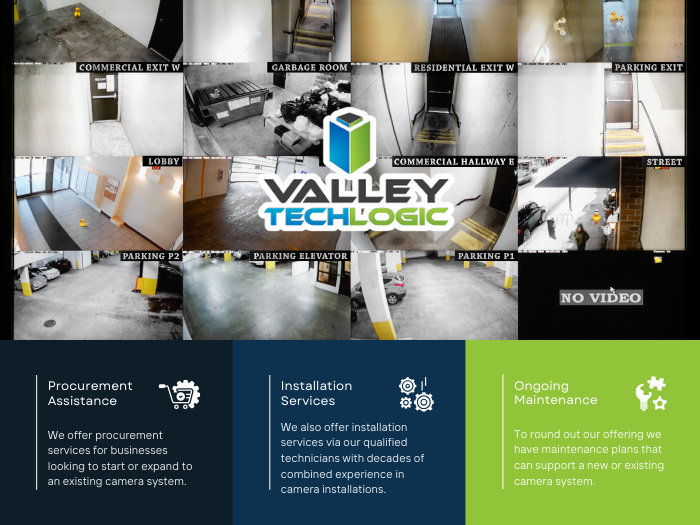
    Physical theft can still present a cyber security risk which is why even cyber security frameworks such as NIST cover physical security as a topic. As such, we have a dedicated team that addresses physical security including the installation and maintenance of security camera systems.

    We have several vendors we work with, with a range of prices to fit any budget. Below are the Good, Better, Best options for security camera systems with Valley Techlogic.

    Beyond choosing a brand, there’s also considerations for the types of cameras to select for your particular business. There is no one size fits all, all three of our preferred vendors have a range of products that can cover different scenarios. Such as low light options, cameras that can capture license plates, cameras packed with AI features such as searching for specific objects or individuals, low profile cameras and more.

    Below our 10 questions you should ask when reaching out for a quote for cameras:

    1. What are the primary goals for installing the system? Is it for theft prevention, monitoring employee activity, or ensuring customer safety? Clearly defining your goals helps narrow down the system features you need.
    2. What type of cameras will you need for your location? Dome, bullet, PTZ (pan-tilt-zoom), or hidden cameras? Different camera types suit different needs and locations.
    3. What resolution and image quality do the cameras provide? Does the system offer high-definition (HD) or 4K resolution? Clear image quality is crucial for identifying details like faces and license plates.
    4. Is the system scalable? Can you add more cameras or integrate with other security features as your business grows? Can you use them in tandem with existing cameras?
    5. What is the storage capacity and method? Does the system use local storage (DVR/NVR) or cloud storage? How long can recordings be retained, and what are the costs?
    6. Does the system have remote access capabilities? Can you monitor cameras in real-time from a mobile app or web browser? How secure is remote access?
    7. What are the power and connectivity requirements? Are the cameras wired, wireless, or PoE (Power over Ethernet)? How reliable is the system’s connectivity?
    8. Does the system include advanced features? Features like motion detection, night vision, facial recognition, or AI-based analytics can greatly enhance functionality.
    9. What is the total cost of ownership? Consider upfront costs, installation, maintenance, subscription fees for cloud services, and potential upgrades.
    10. What support and warranty are included? Is there a warranty on the cameras and system components? What is the availability and quality of customer support?

    If you’re considering a security camera system in 2025, Valley Techlogic can assist. Our technicians have experience recommending cameras to perfectly meet your needs and we also provide expert installation services. Reach out today to learn more.

    Looking for more to read? We suggest these other articles from our site.

    This article was powered by Valley Techlogic, leading provider of trouble free IT services for businesses in California including Merced, Fresno, Stockton & More. You can find more information at https://www.valleytechlogic.com/ or on Facebook at https://www.facebook.com/valleytechlogic/ . Follow us on Twitter at https://x.com/valleytechlogic and LinkedIn at https://www.linkedin.com/company/valley-techlogic-inc/.
  • Meta outage due to “technical issue” knocks out Facebook, Instagram and WhatsApp

    Meta outage due to “technical issue” knocks out Facebook, Instagram and WhatsApp

    When a tech company as big as Meta has an outage, the effects are felt pretty far and wide. Such was the case Wednesday when an outage knocked out a range of Meta services.

    Primarily affecting Facebook and Instagram, other Meta platforms such as Messenger, Threads and WhatsApp also had noticeable issues. The outage began around 9:30 AM PST and services didn’t begin loading again until 2:30 PM with some of the side effects such as messages disappearing or random error messages continuing throughout the day.

    To their credit, Meta did respond quickly to the outage posting a statement on X that reads “We’re aware that a technical issue is impacting some users’ ability to access our apps. We’re working to get things back to normal as quickly as possible and apologize for any inconvenience.”

    As is usually the case though there were no transparent details behind the cause of the outage. This outage pales in comparison to the one we reported on in 2021 where the Facebook.com domain even appeared for sale briefly under Whois lookups.

    When you’re a company as big as Meta you can somewhat get away with less than transparent responses and a “sorry for the inconvenience” but for most businesses, responding to service disruptions is an important part of doing business.

    Here are four ways we recommend responding to service disruptions in a way that still puts customer satisfaction at the forefront (even when you’re dealing with a stressful situation):

    1. Prompt and Transparent Communication
    • What to do: Inform customers immediately about the outage through multiple channels, such as email, SMS, and social media. Clearly state what happened, what is being done to fix it, and provide an estimated timeline for resolution.
    • Why it matters: Transparency builds trust and reassures customers that the company is taking the issue seriously.
    1. Offer Apologies and Show Empathy
    • What to do: Issue a sincere apology acknowledging the inconvenience caused. Use empathetic language to show you understand the impact on customers.
    • Why it matters: Customers are more likely to forgive a company that demonstrates empathy and acknowledges their frustration.
    1. Provide Regular Updates
    • What to do: Keep customers updated throughout the resolution process, even if there are no significant changes. Communicate progress at consistent intervals.
    • Why it matters: Regular updates show that the issue is being actively addressed and reduce customer anxiety and speculation.
    1. Offer Compensation or Goodwill Gestures
    • What to do: Depending on the severity of the outage, offer compensation such as credits, discounts, refunds, or a goodwill gesture like free services for a limited period.
    • Why it matters: Compensation can turn a negative experience into a positive one, demonstrating that the company values its customers’ loyalty and time.

    If technical outages in your business are causing service disruptions for your customer, Valley Techlogic is the solution. We prioritize maintaining our customers’ uptime so that outages don’t affect their bottom line. Reach out today to schedule a consultation and take advantage of our holiday offer going on now.

    Looking for more to read? We suggest these other articles from our site.

    This article was powered by Valley Techlogic, leading provider of trouble free IT services for businesses in California including Merced, Fresno, Stockton & More. You can find more information at https://www.valleytechlogic.com/ or on Facebook at https://www.facebook.com/valleytechlogic/ . Follow us on Twitter at https://x.com/valleytechlogic and LinkedIn at https://www.linkedin.com/company/valley-techlogic-inc/.